

Sine/Cosine Wave
Use the Sine/Cosine Wave option to create trigonometric curves in a line style object. Create the curve by indicating three points (the first and last points and a point that represents the amplitude) and specifying how many points to include in the curve.
Instructions
On the File menu, point to Line Styles, and then click Sine/Cosine Wave.
Digitise the beginning of the curve, the end of the curve, and the amplitude of the curve. Use Snap to Objects  , Snap to Points
  or Grid Snap
  mode.
mode.
The Curve parameters panel is displayed.
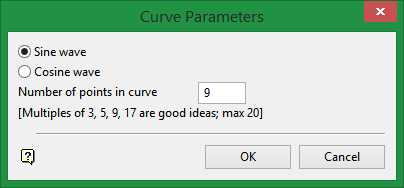
Select whether to draw a sine or cosine wave. You will also need to enter the number of points in the curve. Multiples of 3, 5, 9, and 17 usually produce good results. It is not possible to have more than 20 points in the curve.
Note: The more points in the curve, the closer the object will be to the sine or cosine curve. However, with more points it will take longer to paint when the style is applied to an object.
Click OK.
The cycle of the wave is produced and the curved line displayed.
The Sine/Cosine Wave option can be selected in either the Line Style Editor or Primary Windows.
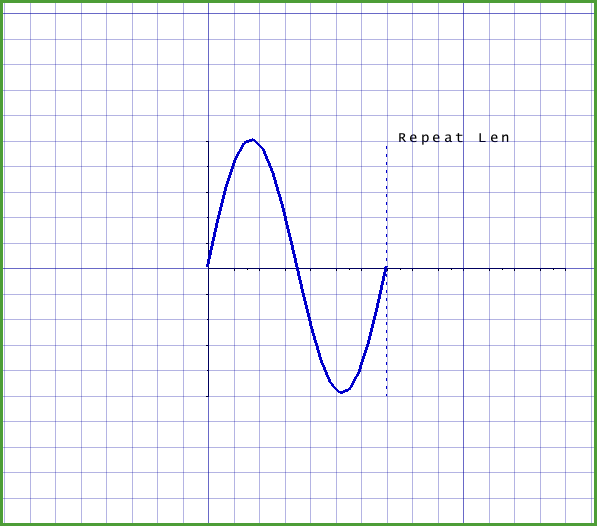
Figure 1: Sine Curve with 12 Points
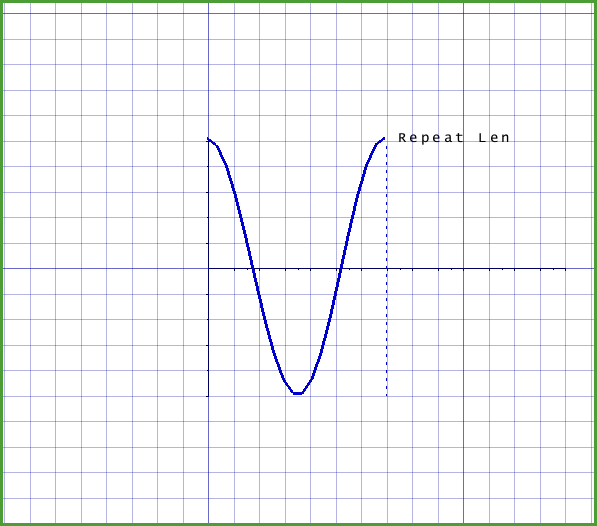
Figure 2: Cosine Curve with 15 Points
