

Grade Control Database Setup
Grade-Block
Use this function to link to an existing database.
Note: : This option will not be enabled unless all of the Define Data Sources setup has been completed and is valid.
Instructions
On the Grade Control menu, point to Setup, then click Define Data Sources to display the following interface.
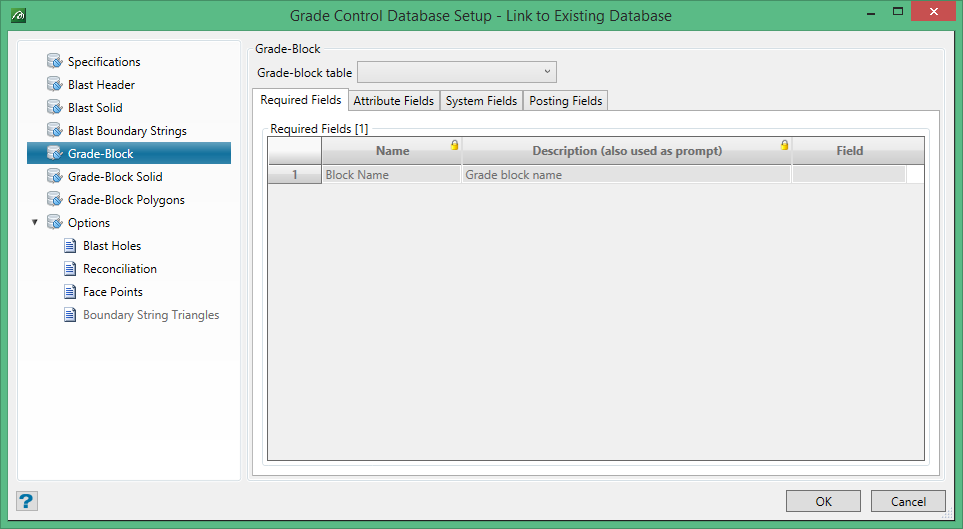
Grade-Block
This tab allows for the setup of the required record name and the associated fields which define the Grade-Block data.
Required Fields
Only one field is required and that is the grade block name. This would normally be a string (character) data type, but an integer type is also allowed. However, the naming routines in grade-block creation will then only allow for numeric naming. Real data types (Double or Float) are not permitted.
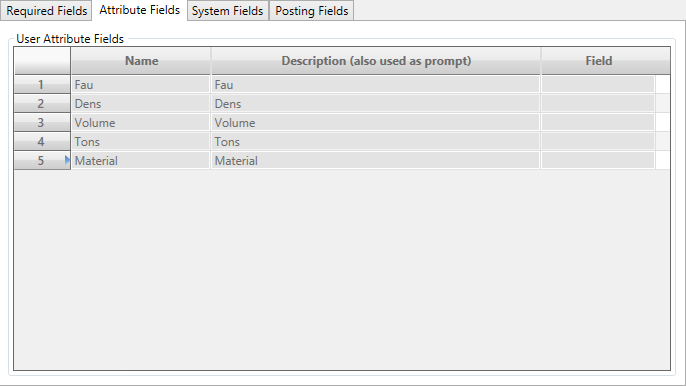
Attribute Fields
While none of the attributes is a ‘required’ type, at least one is needed if any grade control calculations are to be performed.
You will notice that all of the columns are editable in this data-grid (no padlock icons). The rows likewise can be added to, deleted, etc. (there will be no rows when first viewed). This grid is populated by the user for those variables to be used in the grade control calculations.
However, for ease of populating this grid, it is suggested the user selects the Field value first. This column is a combo-column containing a drop-lists of all of the available fields in this table.
If the Field value is selected first on an empty row the Name and Description items for that row will be populated automatically. By default, the Name will be the ‘readable’ version of the Field (first character uppercase, the rest lower) and the Description will be a ‘readable’ version of the description from the database. These can then be edited for maximum readability; e.g. capitalising the O in SiO2 in the example above. Alternatively, the user can simply type the Name and Description themselves and then select the Field. In this case, what has been already typed will override the default values from the Field selection.
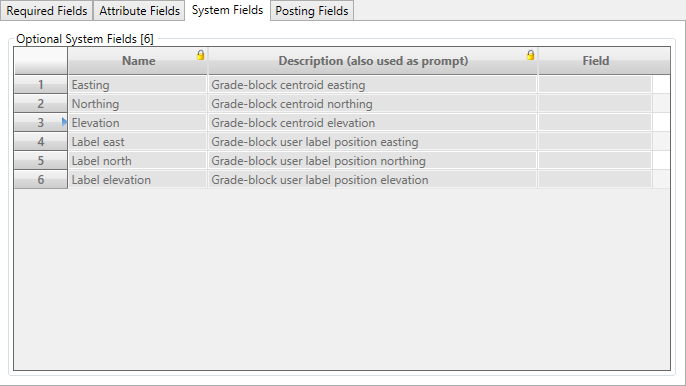
System Fields
The optional system fields allow for the actual grade-block centroid position and/or the user label position for the grade-block to be stored.
These fields are all optional, but with some rules, in each group. If any field is provided then either Easting & Northing (2D) or Easting, Northing & Elevation (3D) must be provided.
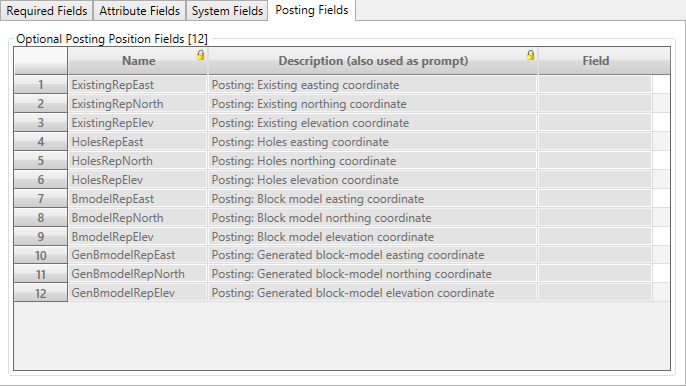
Posting Fields
As with the blast report fields, these 12 optional fields may be used to store the position(s) of are the various Grade-Block Posting graphic items for re-loading. All three items in any group must be provided if any one item from that group is selected.
