

Run MGS Multi
Use this option to perform more than one sequential Gaussian simulation using the parameters defined in existing Simulation specification files.
Instructions
On the Block menu, point to Simulation, then click Run MGS Multi.
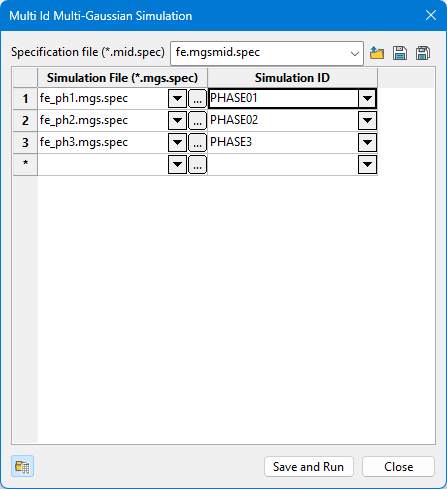
Follow these steps:
-
Select the Specification file from the drop-down list, or click the Browse icon to select a file that is not located in the top level of you working directory.
-
Select the Simulation File (*.mgs.spec) from the drop-down list in the first column, or click the
 icon to browse for it.
 -
Select the Simulation ID you want to run from the drop-down list in the second column.
-
Click
 to save the specification file, or
  to save the specification file using a different name.
 -
Click the Save and Run button to begin the simulations, or click Close to exit the panel without running the simulations.
