

Grade Control Database Setup
Blast Header
Use this function to link to an existing database.
Note: : This option will not be enabled unless all of the Define Data Sources setup has been completed and is valid.
Instructions
On the Grade Control menu, point to Setup, then click Define Data Sources to display the following interface.
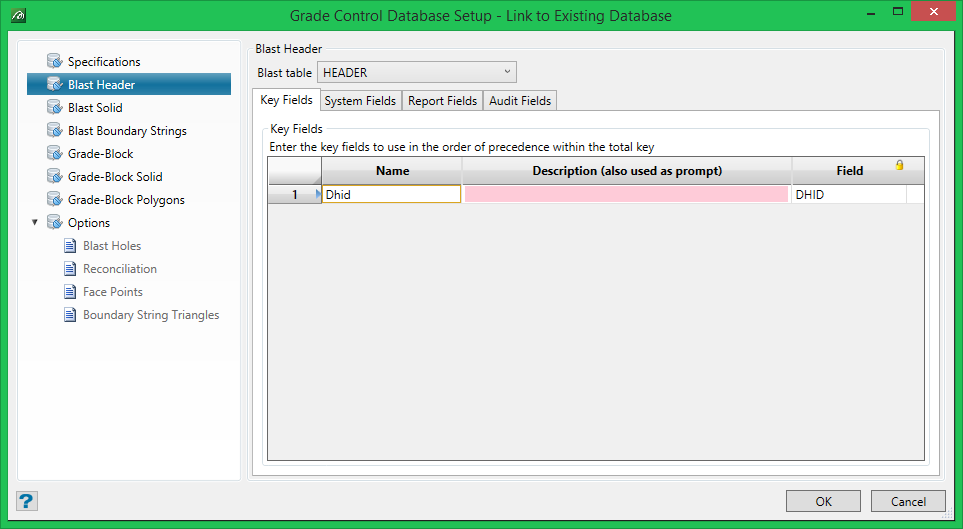
Blast table
This tab allows the record name and the fields on that record associated with grade control to be setup. In the case of an Isis (or ODBC) database the ‘Blast Table Name’ fields and the ‘Key Fields’ sub-tab will be automatically populated, because these are pre-defined in the database description and cannot be changed.
Key Fields
In the case of an Isis/ODBC database the fields comprising the key are also pre-defined in the database description. So, the fields (GradeControl_ri.htmost column) and the number of entries (rows) in this data-grid are both immutable. However, the Name and Description columns can both be changed as required. By default, the Name will be the same as the Field (name in the DB) and the Description will be the same as the description given in the database. In both cases they will be rendered ‘readable’ by having the first character ‘capitalised’ and the rest ‘lowercased’. However, both of these can be edited as desired – as in the example above, where the RL field is referred to as “Bench” and the BLST fields as “Blast”. It is worthwhile to make these readable – these Names and Descriptions will be used throughout the system to refer to these items (see, for example, the panel used for selecting blasts).
System Fields
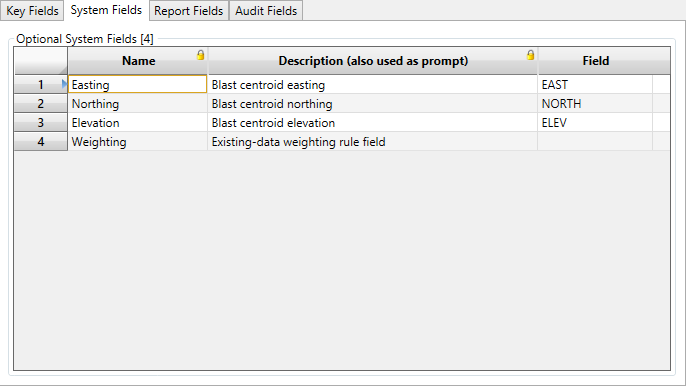
There are four optional system fields which can be defined for the blast header.
-
The first three tell the system which fields to use if the blast centroid value is to be written back to the blast header record. These fields are all optional, but with some rules – if any field is provided then either Easting & Northing (2D) or Easting, Northing & Elevation (3D) must be provided.
-
The fourth field Weighting can be used to hold which weighting type is used with the currently stored data on the DB (referred to throughout as ‘Existing’ data). With Legacy GC it was not possible to know where the existing data has originated if both holes and block-models were used (the setting in the preferences did not necessarily match all blasts). This field allows the explicit setting for each blast to be stored with the blast.
Note: Name and Description values are immutable (note the padlock icon) in this data-grid.
Report Fields
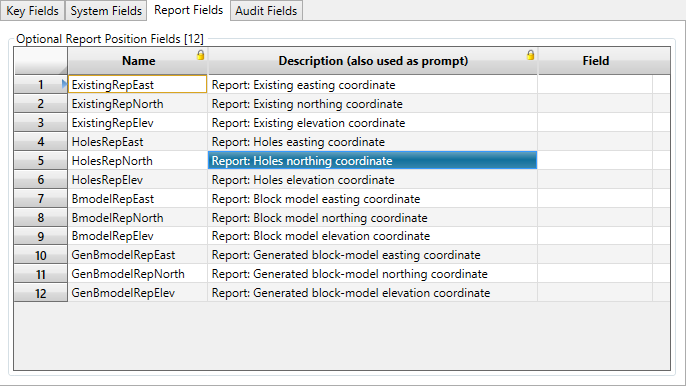
These 12 optional fields may be used to store the position(s) of are the various Blast Report graphics items for re-loading. These Names are the same as used in Legacy GC. All three items in any group must be provided if any is selected.
Audit Fields
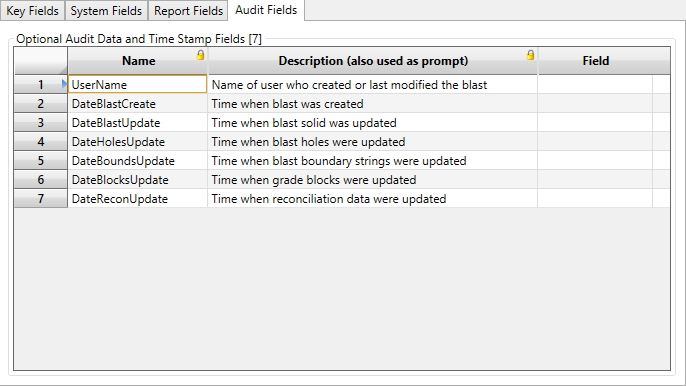
These 7 fields allow for optional audit information to be stored against the blast.
