

Invoke Macro 
Run a Replay Macro
The Invoke Macro option runs the replay.<application>_cmnd macro file, which is generated automatically by the Nyxute applications, or the <proj><id>.<application>_cmnd macro file, which is replay.<application>_cmnd saved with a unique name.
Note: Replay macro files are temporary files that are constantly being updated and cleared. If you want to run an existing reply macro file, then we suggest that you rename the file before using the Invoke Macro option.
Instructions
Click the Invoke Macro button  on the Rsvute toolbar.

or
On the Rsvute menu, point to Files, and then click Invoke Macro to display the Invoke Macro panel.
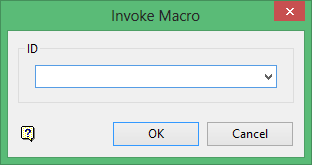
Select the macro or replay file that you want to run.
Click OK.
The macro is run and any database edits in this macro will affect your current database.
