

Synthetic Drillholes
Use this option to create synthetic drillholes from the polygons of a layer. The composites can be used to calculate the distances to contacts in implicit modelling.
Note: The minimum data needed is one layer with polygons in plan view.
On the Geology menu, point to Implicit Modelling, then click Synthetic Drillholes.
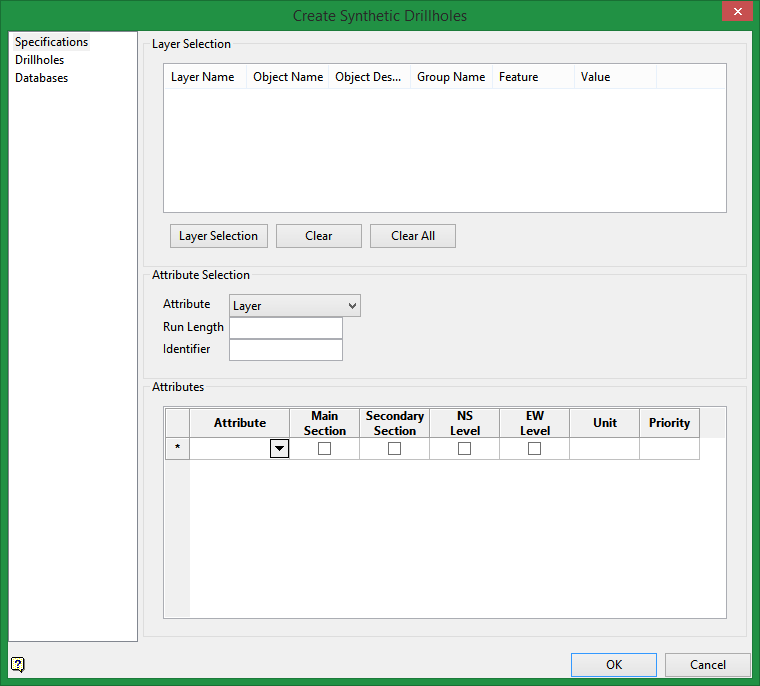
Specifications
Layer Selection
Buttons below table |
|
|
Layer Selection |
Select this button to choose the layer that contains the polygon(s). You can select by layer, object, group, feature, name, etc. |
|
Clear |
Highlight a row in the table, then click the Clear button to remove it from the list. |
|
Clear All |
Click this button to clear the list completely. |
Attribute Selection
Attribute
Use the drop-down list to specify which attribute is going to be used. It could be by layer, name, group or feature. The attribute list here corresponds to the attribute list in the table at the bottom of the panel.
If you select Layer, then the unique values from the Layer Name column from the table at the top of the panel will populate the drop-down list in the Attributes table at the bottom.
Similarly, if you select Name, then the unique values from the Object Name column will populate the drop-down list in the table.
If you select Group, then the unique values from the Group Name column will populate the drop-down list in the table.
If you select Feature, then the unique values from the Feature column will populate the drop-down list in the table.
Note: The list in the Attribute table will be in alphabetical order, which might not be the order in which they are arranged in the Layer Selection table.
Run Length
Enter the run length for the composites.
Identifier
Enter a unique identifier name.
Attributes
Attribute
Select the attribute from the drop-down list.
Main Section / Secondary Section
You can define which section will be your main and secondary section. Internally, the only difference is the name of the drill (the suffix).
By default, vertical drillholes are created in the same plane as the polygons. (Refer to image below.)
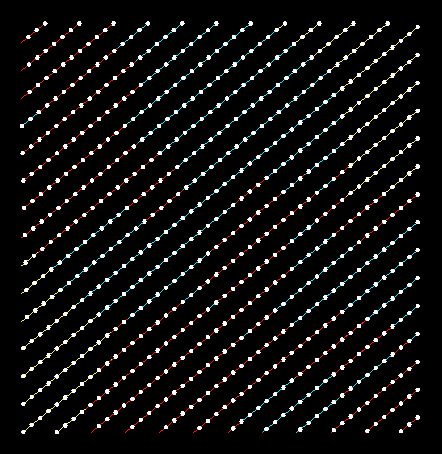
Vertical drillholes oriented along the plane of the polygons.
NS Level / EW Level
This option lets you create horizontal drillholes that are on a North to South, or East to West orientation.
Unit
This is the name given to the flag for the composite database.
Priority
This specifies the priority for the polygon (the default value is 1). The higher the number, the higher the priority. For example, a priority of 10 overrides a priority of 1.
This is used to determine precedence if two polygons set a value (code) within the same area. For example, some polygons might represent high grade zones and some might represent low grade zones. You could elect to have the high grade zone take precedence over the low grade zone by setting the priority higher. Wherever there is a spatial conflict between the two polygons, the one with the highest priority will take precedence.
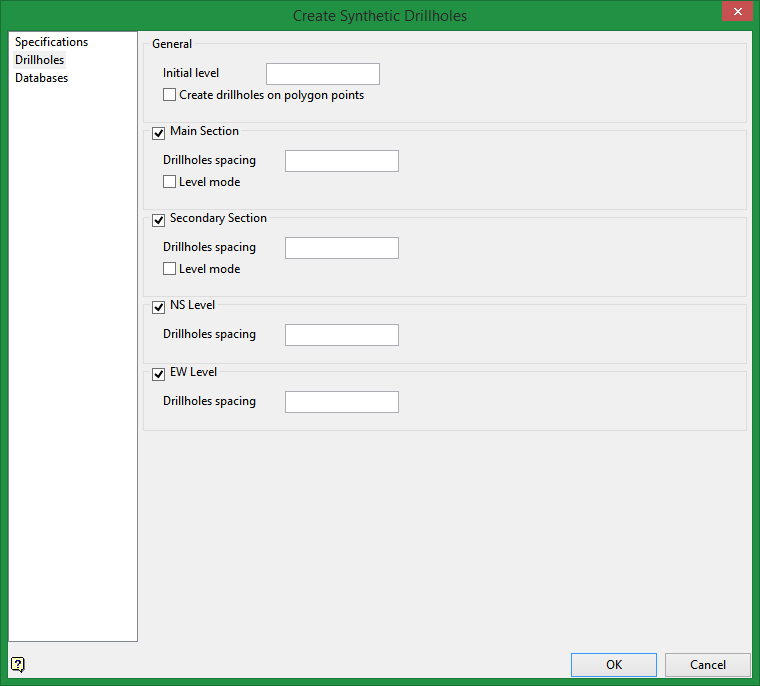
Drillholes
General
Initial level
The initial level (collar for drillholes) is calculated automatically, but it can be modified.
Create drillholes on polygon points
The drillholes can be created with the polygon points as starting points for the collars.
Note: This process could take more time.
Main / Secondary Section
Drillholes spacing
Choose the drillhole spacing between the collars.
Level mode
Select this option to create horizontal drillholes with collars starting at different elevations (from main and secondary sections only).
NS Level / EW Level
Select these options to create horizontal drillholes with the collars starting at different elevation and the drillholes oriented from north to south, or east to west.
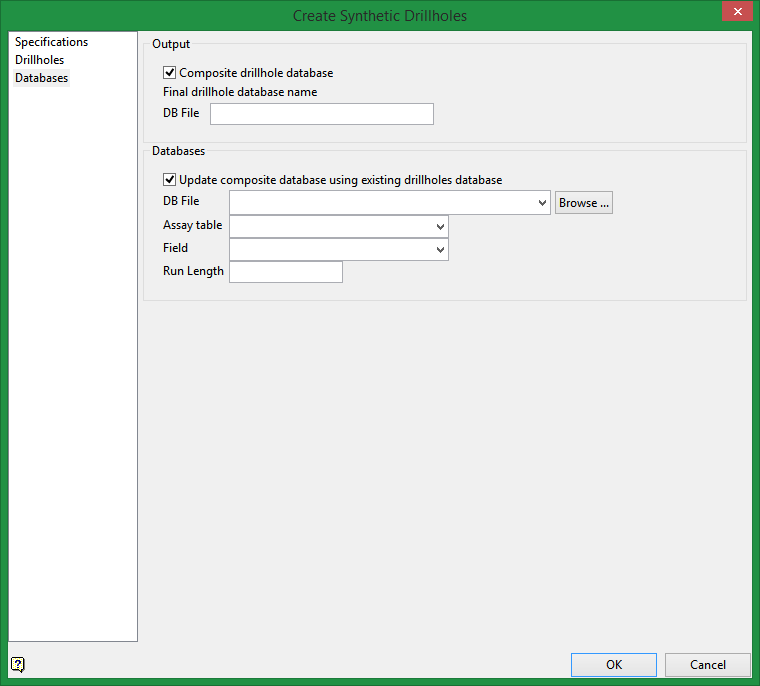
Databases
Output
Clicking OK without selecting any options will result in a synthetic drillholes database without rock codes.
Composite drillhole database
Select this to create the resulting 3 databases, the first will have the synthetic drillholes without rock codes, the second will be a composite database using the first database, and the third will be a drillhole database with the composite information.
Databases
Update composite database using existing drillholes database
Select this option to include an existing drillhole database into the synthetic drillhole database.
Click OK button and the process will start.
