

Import/Export Custom Settings
Use this option to define the standard and custom settings required for importing or exporting Washability tables.
Instructions
On the Washability menu, point to Setup, and then click Import/Export Custom Settings to display the following panel.
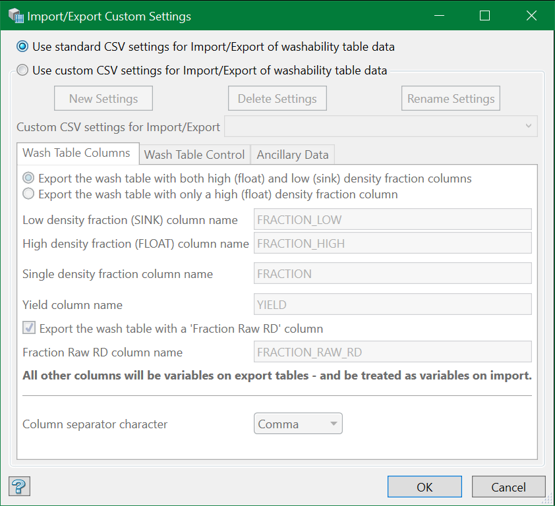
There are two options available for the import/export settings:
- Standard CSV Settings
- Custom CSV Settings
Standard CSV Settings
By default, the system uses standard settings for the CSV format. This should be adequate for most of the purposes.
However, it might be necessary to define a different format for importing from or exporting to a third-party system. This is when we use Custom CSV Settings.
Custom CSV Settings
This option allows creating and assigning customised settings for the import/export function. Any number of custom settings can be created but only one can be used at a time.
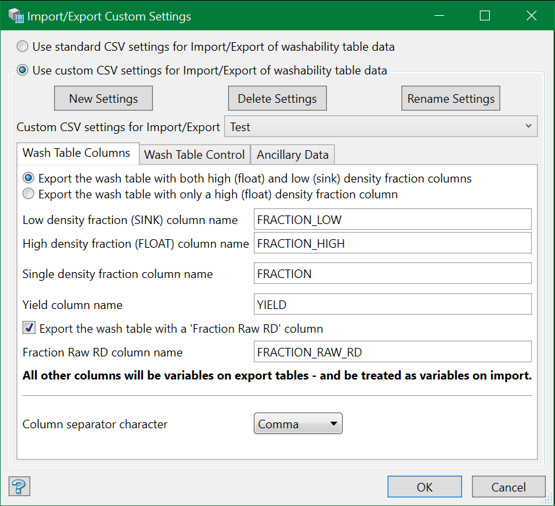
New Settings
Click this button to create a new settings.
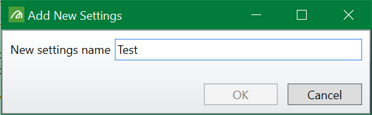
Enter a name and hit OK. The newly created settings is selected by default.
Note: The settings name should be unique. However, the names are not case sensitive.
Delete Settings
Click this button to delete a settings.
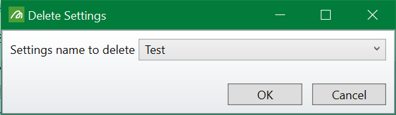
Select the settings to be deleted from the drop-down list and hit OK.
Rename Settings
Click this button to rename a settings.
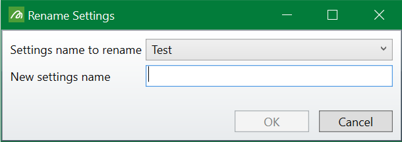
Select a settings name to be renamed from the drop-down list, enter a new name in the text box below, and hit OK.
Custom CSV settings for Import/Export
The newly created settings will be selected by default. However, choose any one from the drop-down list.
Wash Table Columns
For import purposes, all wash data tables must start at the first line of the file and should have named columns. In this section, these column names are prefilled based on default settings. But the structure of the columns may vary and therefore, the names of these standard columns can be changed. The names set here for the variable columns will become the internal names of those variables.
For export, one may select either high(float) or high(float) and low(sink) density fraction columns. However, all the column names should be compulsorily specified to allow for both forms on import.
Wash Table Control/Ancillary Data
These sections are concerned with the extra data (tokens) accompanying a full report table. These tokens are prefilled based on default settings. However, you can change them here.
One can choose to select whether or not to include these sections with the custom settings for export. However, all these data should be compulsorily specified because they may be required for import purpose.
Note: For exporting tables, the custom settings will be used in the Export Tablemenu or in other instances while saving exported tables.
For importing tables, the custom settings will be used in the Import Tablemenu or in instances while importing source.
While doing this, the custom settings will be tried first. If this fails to recognise wash table data, then the standard settings will be tried. If both fails, the system will report the inability to read the data.
