

Save Design As
Use the Save Design As option to save an existing design under a different name. In this way you can create new designs by editing existing designs. The designs are saved in your current working directory, unless you have selected to save your design as a headered template (.dsf) in which case you can navigate to the location where you want the file saved.
Instructions
On the File menu, click Save Design As to display the Save Database Design As panel.
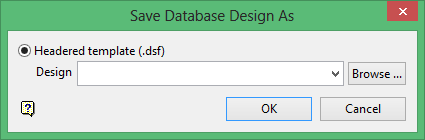
This panel is also displayed if you use the Save As option to save designs.
Headered template (.dsf)
Select this option to save your design as a headered template design (.dsf). From this design it will be possible to create Isis Files and ODBC Link databases. Enter the design name using 3 characters. Optionally, select the desired design file name from the from the drop-down list. The full name of the design is <file_name>.dsf where <file_name> is the design name.
By default, the resulting file will be stored in the current working directory. Use the Browse button to select a different file location.
