

Rename Section
Rename a Section
The Rename Section option to rename a section reference line.
 Note
Note
This option can only be used when in Plan View.
Instructions
- Select Geotech menu
- Select Section submenu
- Select Rename Section option
Select the section line that you want to rename. Once selected, the following panel displays.
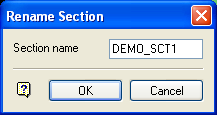
Rename Section panel
Section name
The current section name displays. This can be overwritten with the new name (a maximum of 10 alphanumeric characters).
Select OK.
If the new name already exists, then a message displays and the Rename Section panel is redisplayed.
Was this page helpful?
