

Reserve report
Use the Reserve report command to calculate reserves and generate a reserve report.
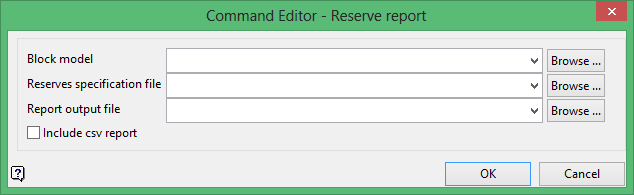
Block model
Select the block model that you want to use when calculation the block reserves.
The drop-down list contains all block models found within the current working directory. Click Browse to select a file from another location.
Reserves specification file
Select the specification file (.res) that will be used to perform the calculations.
The drop-down list contains all .res files in your current working directory. Click Browse to select a file from another location.
Report output file
Select the file that will be used to store the resulting reserve report.
The drop-down list contains all .rep files found within your current working directory. Click Browse to select a file from another location.
To create a new file, enter the file name and file extension.
Click OK to add the command and return to the Command Editor panel.
