

Project Templates
Create templates from existing projects. Recreate charts, statistics, and variograms with different datasets without the need to setup all the parameters again.
Instructions
To use an existing project as a template for a new project, follow these steps.
-
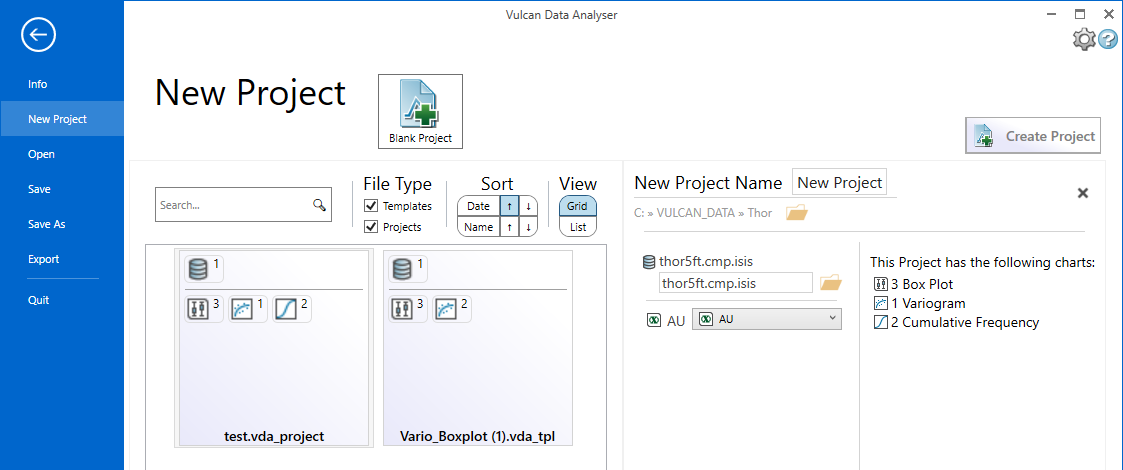
On the File menu, point to New Project, then click Start Using Existing Project.
-
Click Browse Project, then use the Explorer window to select the project from which you want to make a template.
-
Using the panel that displays, make any necessary changes to the project name, data source, and variable mapping.
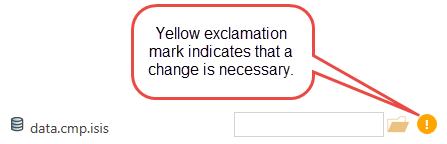
If there is information that is not correct, an exclamation icon will be displayed next to the name where the problem is occurring. The Create Project button will not be available until the error is resolved.
-
After all corrections have been made, click the Create Project button to create and open the new project using the new template.
