

Export Grids To Esri
Instructions
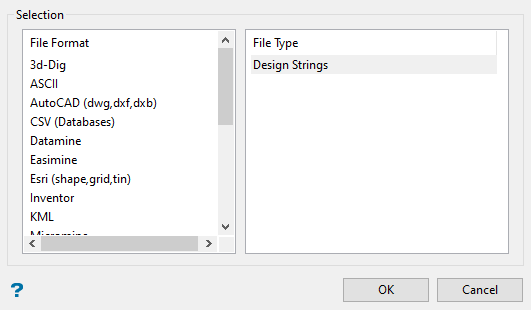
On the File menu, click Export to display the Export panel.
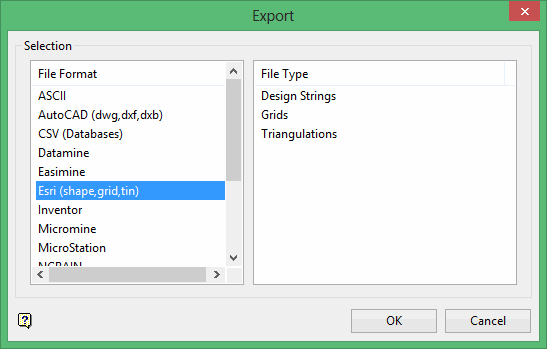
Click Esri (shape, grid, tin) in the File Format column on the left.
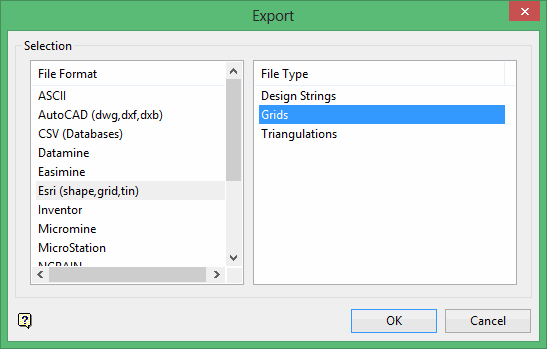
Select Grids from the File Type field on the right side of the panel.
The Export Grid panel will display.
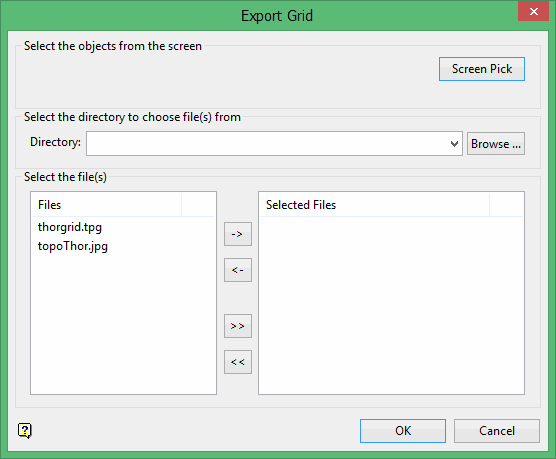
File Selection
Browse for files using the Browse button, or use the interface showing the available grid files in the current working directory.
Click on the name of the file(s) you want to select. Use the  icons to go to the last folder visited, go up one level, or change the way details are viewed in the window.
- To highlight multiple files that are adjacent to each other in the list, hold down the Shift key and click the first and last file names in that section of the list.
- To highlight multiple non-adjacent files, hold down the Ctrl key while you click the file names.
Move the files to the selection list on the right side of the panel.
Move the items to the selection list on the right side of the panel.
- Click the
 button to move the highlighted items to the selection list on the right.
 - Click the
 button to remove the highlighted items from the selection list on the right.
 - Click the
 button to move all items to the selection list on the right.
 - Click the
 button to remove all items from the selection list on the right.
Wildcard
Enter any characters used as wildcards. Wildcard characters can be an * as well as regular characters.
Example: If the topo_* were used as a wildcard, the result might be topo _area2_aerial, topo _min, or topo _with_pit.
Click OK.
If you have chosen to export a single file, you will be prompted for the name of the resulting file, as well as its storage location. If you have chosen to export several files, the export will automatically commence, with the resulting Esri grid files inheriting the names of the original Vulcan grid files, but with an extension of.asc added to end of the file name.
Example: If your Vulcan grid file is named 'vulcan.tpg', then the resulting Esri grid file will be named 'vulcan.tpg.asc'.
