

Localisation
Display menu items in both English and another language side-by-side.
Instructions
-
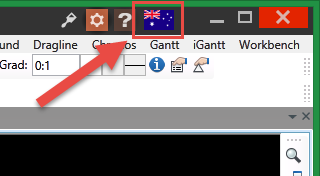
Using the Language Selection icon (the national flag) in the upper right corner of the Vulcan window, select your preferred language by clicking on a country on the map.
-
On the Workbench menu, point to Localisation, then click either of the options available.
Note: Both options can be selected at the same time.
Show English side by side
Select this option to display both English and the foreign language selected from the map using the Language Selection icon.
Note: Disabling this option will not remove the selected foreign language from memory, but it will no longer be displayed until this option is enabled again.
Show English first
Select this option to display the text in English first, followed by the text in the foreign language.
