Extract Cells
Use the Extract Cells command to extract blocks from a block model and save them in another block model file.
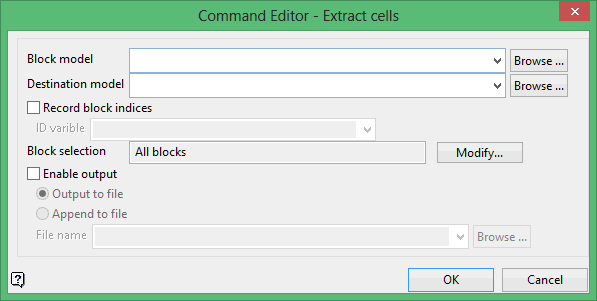
Block model
Select the block model containing the block information you want to extract.
The drop-down list contains all block models found within the current working directory. Click Browse to select a file from another location.
Destination model
Enter the name of block model file that will be used to store the extracted information.
The drop-down list contains all block models found within the current working directory. Click Browse to select a file from another location.
Record block indices
Select this check box to extract the block identification numbers as well. You will need to enter the variable in which to store the extracted block identification numbers. Refer to the Add Variable option to create a variable specifically for the above purpose. The data type of this variable must be a short integer.
Block selection
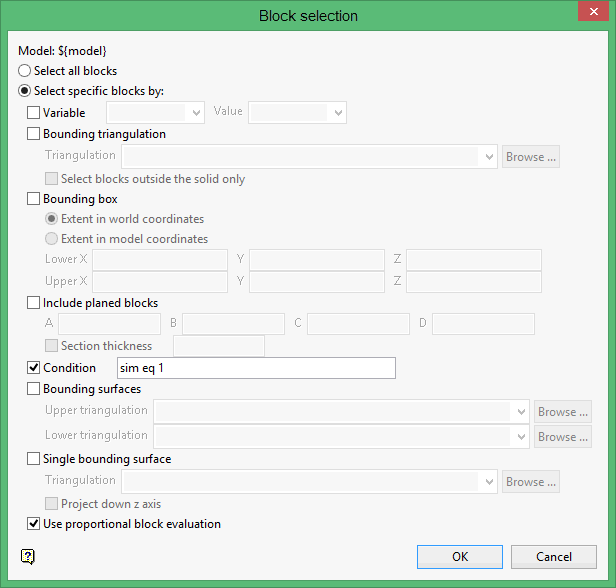
Select the Modify option to configure the selection criteria that will be used to select the necessary blocks. Once selected, the Block Selection panel will be displayed.