

Import Grade Block Solid
Use this to import grade block solids
Instructions
On the Grade Control menu, click Import Grade Block Solid.
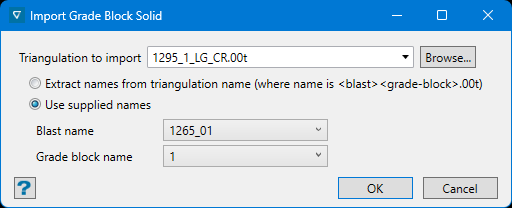
Follow these steps:
-
Select the triangulation solid to import. All triangulations stored in your current working directory will be shown in the drop-down list. If you have them stored somewhere else, you can access them by clicking the Browse button.
-
Choose how to name the grade block solids. You can either extract the names from the imported triangulations, or select the Block name and Grade block name from the drop-down lists and they will be concatenated together to form the name.
-
Click OK to complete the operation.
Was this page helpful?
