

Translate All
Translate All Strips on the Current Section
Use the Translate All option to shift all the strips on the current section by a specified distance along the section.
Instructions
On the Dragline menu, point to Strips, and then click Translate All.
Digitise the translation by indicating two points that represent how you want the strips to move.
If a Dragline specifications file (.rsp) was not opened prior to selecting this option, then the Open Dragline Specification panel displays first.
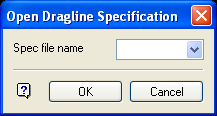
Open Dragline Specification panel
Spec file name
Enter, or select from the drop-down list, the <spec_file_id> part of the dragline specifications file name. The maximum size is 6 alphanumeric characters. Selecting a name from the drop-down list will open an existing specifications file. Entering a new name will create a new specifications file.
Click OK.
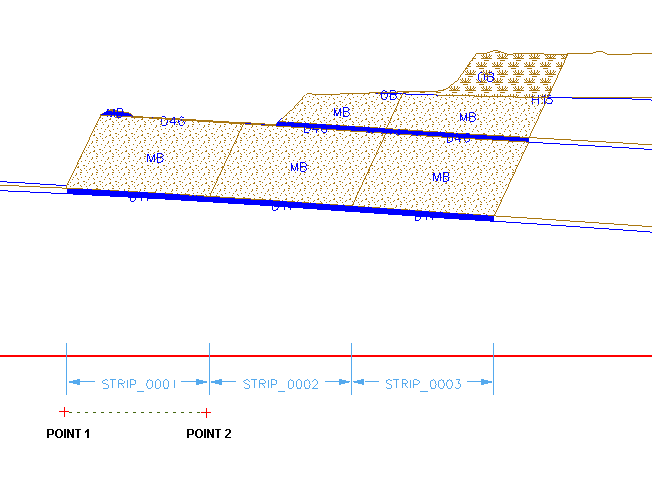
Figure 1: Digitising the Translation
Once these points have been indicated, the strips are translated.
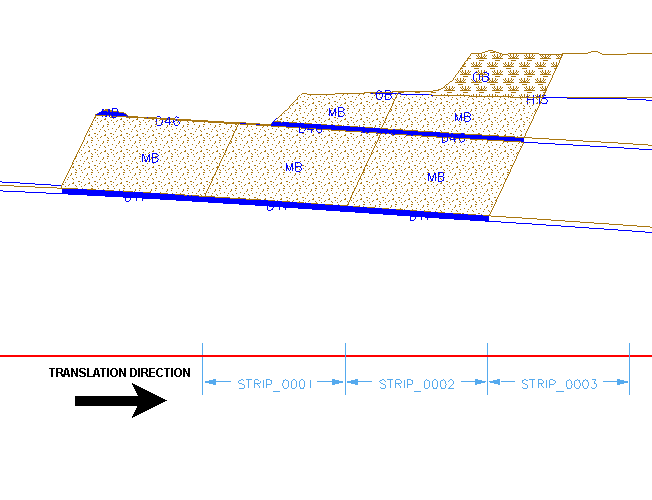
Figure 2: The Translated Strips
If blocks already exist on the section, then you will be asked whether or not to update them so that they reflect the new strip layout.
