

Import GSI Station
This option allows the easy import of survey stations into the survey stations layer defined in the Stations Layer parameter of the Configuration panel.
Instructions
On the Face Mapper menu, point to Tools, then click Import GSI Station.
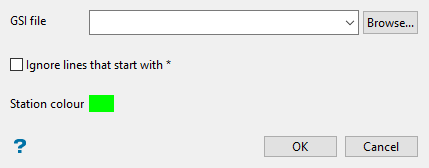
Follow these steps:
-
Select the desired GSI file from which to import survey stations using the drop-down list, or Browse for it using the button.
-
Enable Ignore lines that start with * if desired. Some GSI files denote comment lines with an asterisk *. This option can be used to ignore these lines.
Note: For GSI files that have an asterisk at the start of every row this option should not be used.
-
Select the Station colour. This determines the colour of the survey stations points when imported into the layer.
-
Click OK to complete the operation.
