

Select
Select a window
Use the Select option to select a window that has been created through either the View > Windows > Create option or the View > Shaft View > Create, and place it in the current window.
Once a window has been selected, objects or layers can be created or existing layers can be loaded.
Instructions
On the View menu, point to Windows, and then click Select to display the Select or key item panel.
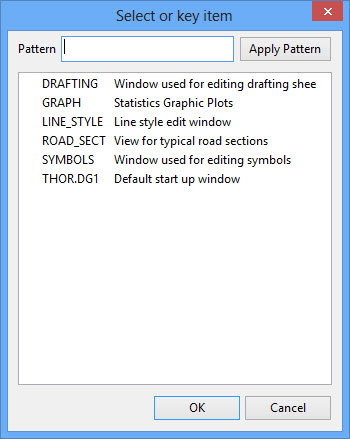
The panel displays a list of all available windows.
Click to highlight the required window. To highlight multiple windows, use the left mouse button in combination with the Shift key to highlight the windows (this is for window names that are adjacent in the list, for non-adjacent window names use the Ctrl key and the left mouse button).
The Pattern field and the Apply Pattern button can be used to highlight window names that follow a specific naming pattern. Wildcards (* multi-character and ? single character).
For example: If you wanted to highlight all windows that begin with 'P', then type 'P*' into the Pattern field before selecting the Apply Pattern button. Once selected, all matching windows are highlighted. can be used when entering naming patterns.
Click OK.
