

Export Triangulations To Inventor
Use the Export Inventor option to export triangulation information to an Inventor file.
Instructions
On the File menu, click Export to display the Export panel.
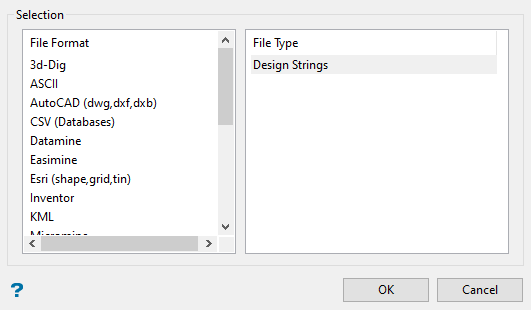
Click Inventor in the File Format column on the left.
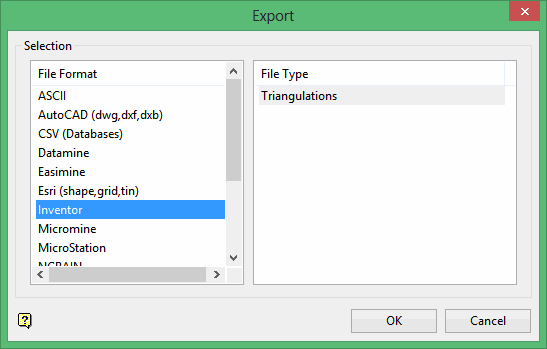
Select Triangulations from the File Type field on the right side of the panel.
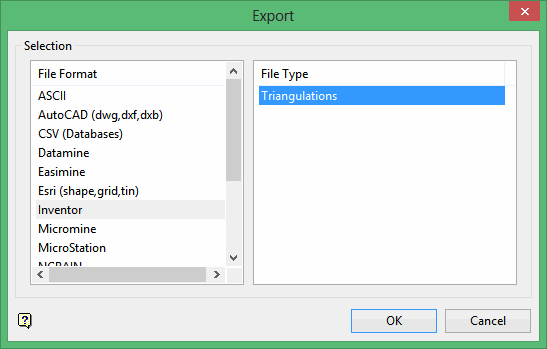
Click OK to display the Export Triangulation to Inventor panel.
Select the triangulations you want to export by using any combination of the following options:
-
Screen Pick - Select triangulation(s) that are already displayed on the screen. Click on the triangulation(s) you want to export and then right-click to return to the panel. The triangulations you selected are listed in the Selected Files column in the Select the file(s) section.
-
Browse - Select the triangulation(s) to export by selecting them in the Select the file(s) section. All triangulation files in your working directory will be listed in the Files column. To select a different directory, click Browse in the Select the directory to choose file(s) from section.
-
From List - To select the triangulations to export using the Select the file(s) section of the panel, highlight the file name in the Files column and click the right arrow buttons to add them to the Selected Files column. If you click the single right arrow button ( -> ), only the files you have highlighted will be moved to the Selected Files column. If you click the double right-arrow button ( >> ), all files will be moved to the Selected Files column. To highlight multiple files that are adjacent in the list, hold down the Shift key while you click the file names. To highlight non-adjacent files in the list, hold down the Ctrl key while you click the file names.
The following panel is then displayed. This panel displays for each of the selected triangulation files.
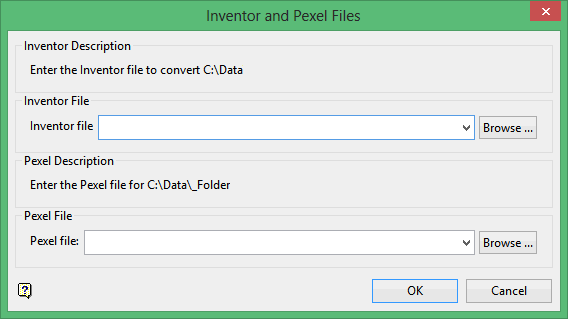
Inventor file
Specify the name of the Inventor file (.iv) that will be used to store the exported data. The drop-down list will contain all .iv files found in the current working directory. Click Browse to select a file from another location.
To create a new file, enter the file name and file extension.
Pexel file
Specify the name of the pexel file (.pexel) that will be draped over the Vulcan triangulation. The drop-down list contains all .pexel files found in the current working directory. Click Browse to select a file from another location.
Click OK.
