

Define structure locations along a scan line
The Line option to define structure locations along a scan line and enter the structural data for each. The main difference between this option and the Digitise option is that instead of picking the locations of the structures, you first select a line and then specify a chainage distance along that line. At each chainage point, a structure will be positioned.
Scan lines that are specified by start point and direction can easily be converted to start and end points using the Construction icons.
Instructions
- Select Geotech menu
- Select Utilities submenu
- Select Line option
Select a scan line. The chosen scan line must be a two-point line object.
If you chose to use the object name as the site identifier (through the Data Entry Setup option), then the site identifier will be taken from the chosen object name. If this is not the case, then the Structural Data Entry panel displays instead.
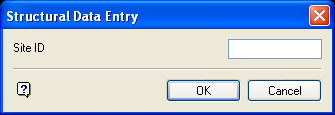
Structural Data Entry panel
Enter, or select from the drop-down list, the site identifier for the location you digitised. If you chose to increment site identifier (through the Data Entry Setup option), then the numeric part of the site id will be incremented by one for each location specified.
Select OK.
The following panel is then displayed. If you did not specify a scan line distance field (through the Data Entry Setup option), then the Scan Line Distance Entry panel displays first.
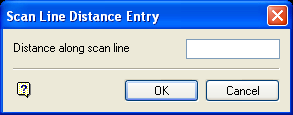
Scan Line Distance Entry panel
Enter the distance along the scan line.
Select OK.
The Data Entry, Structural Data Entry and Scan Line Distance Entry panels are redisplayed for each chainage point along the line.
The field values for the specified record are then updated or appended. If you have chosen to update records, and a record with a matching site identifier field value is not found, then you will be prompted to append a new record.
The new structural data displays using the display method (point, structure object or orientation halo) that you specified through the Data Entry Setup option.
