

Save Layer
Use the Save Layer option to save individual layers into the currently open design database. The difference between the Save Layer option and the Save option is that the latter to save all layers in the current window.
It is also possible to save layers through the Vulcan Explorer context menu. To do so, right-click on the layer name and select Save.
Instructions
On the File menu, click Save Layer.
A list of all layers in the current window that have not been saved displays.
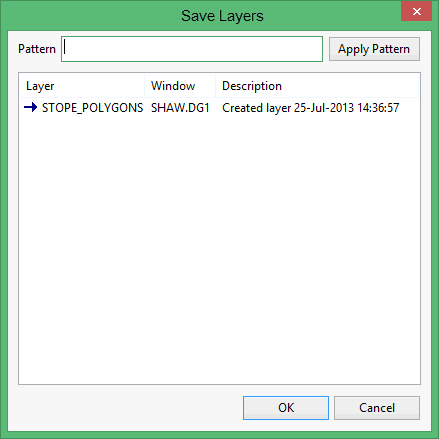
Click the layer to save and select OK. Use a left mouse click with the Ctrl and Shift keys to choose multiple entries. Once the layer(s) to save have been selected, click OK.
It is also possible to use the Pattern field, the Apply Pattern button and wildcards (* multi-character and ? single character) to highlight the layers that begin or end with certain characters (for example to highlight all layers that begin with ' P ', type ' P* ' i n the Pattern field and select the Apply Pattern button). All matching layers are selected (highlighted).
Tip: Enter a pattern and use the Enter key to save the highlighted layers without clicking OK.
