

Preferences - Arrow
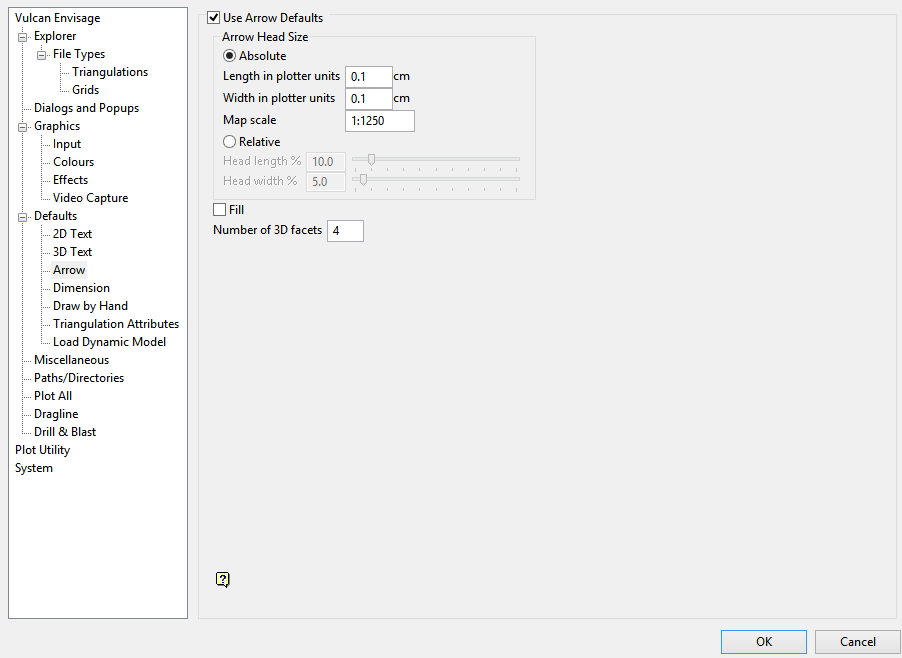
Use Arrow Defaults
Select this check box to use the following defaults when creating/displaying arrows. If this check box is not selected, then you will be required to specify the arrow settings each time you create or display 2D/3D arrows.
Arrow Head Size
Absolute
Select this option if you want the arrow's head to have a fixed size. You can then specify the arrow length in plotter units, the arrow width in plotter units and the map scale for this size (this refer to the scale used when drawing the arrow head on the screen).
Relative
Select this option if you want the arrow's head to have a size relative to the length of the arrow instead of an absolute size. The longer the arrow, the bigger the arrow's head.
The arrow head and width can either be entered as a percentage (of the arrow length), or it can be specified through using the available slider bars.
Fill
Select this check box to fill the arrow head with a solid pattern. If this check box is not selected, then the arrow head will be open.
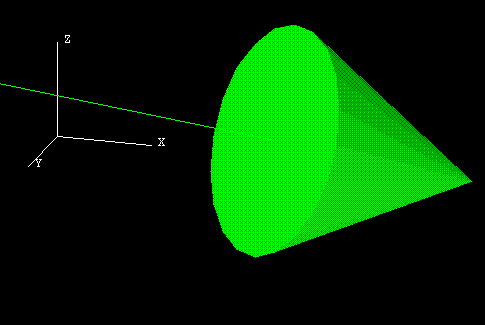
Figure 1: A filled 3D arrow
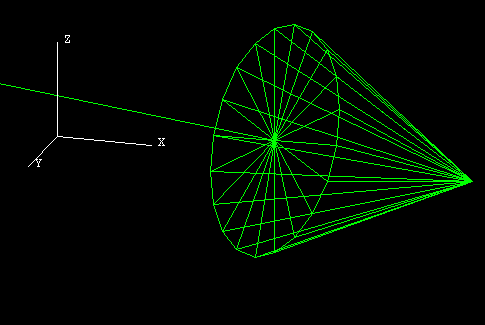
Figure 2: An unfilled 3D arrow
Number of 3D Facets
Enter the number of facets in the arrow head's cone (a minimum of 3 and a maximum of 100). The higher the number of facets, the more the arrow head approximates a cone.
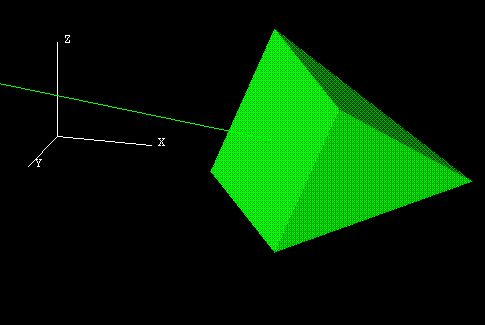
Figure 3: A 3D arrow with 4 facets
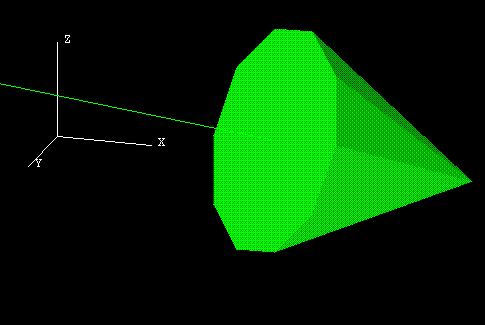
Figure 4: A 3D arrow with 10 facets
Figure 5: A 3D arrow with 20 facets
The arrow defaults are stored n the <proj>envis.defaults and vulcan.prefs files.
