

Use an existing drafting sheet
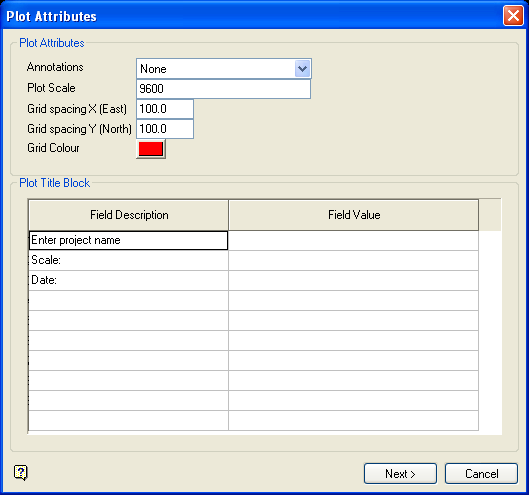
Plot Attributes panel
Dynamic Grid Colour
Select a colour for the dynamic grid. The colour is selected from the current colour table. Use the  Grid Properties button or the Analyse > Grid > Apply option to display the grids on the screen.
Select OK.
You will then be prompted to indicate the origin. Click and hold down the mouse in the position where you want the origin of the plot to be located. A white rectangle will appear. Drag this rectangle until you are satisfied with the location of the origin - the origin will be at the lower left hand corner of the rectangle.
You will then need to specify whether or not to preview the plot. If you chose to preview the plot, then the plot displays via the Plot Utility.
You will then need to specify whether or not to preview the plot through the Plot Utility. If you choose to preview the plot, then the plot displays in the Plot Preview Window. If you choose not to preview the plot, then the plot file name displays.
If you are in the Stereonets window, then the visibility of the various objects will be restored (if they were changed) when this option is completed.
