Plot Face
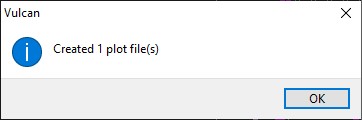
Creates a layer called “PLOT_LABELS” in which an arrow and labels are created (see Plot Face settings) to define the position of the face relative to the survey station (plan view location sketch) then creates a plot file (.dhq) of the selected face(s) using a preconfigured drafting sheet and Plot Builder specification file, generated using the Face Mapper > Setup > Create Plot Resources tool.
Instructions
On the Face Mapper menu, point to Post Processing, then click Plot Face.
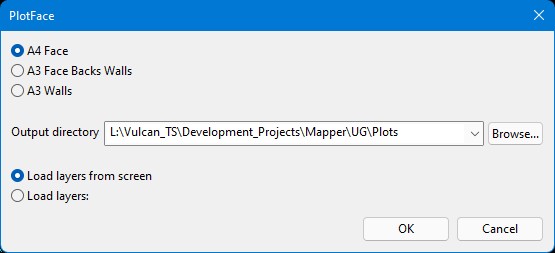
A4 Face
Used when plotting a Face that has been mapped without walls and backs.
A3 Face Backs Walls
Used when plotting a Face that has been mapped with walls and backs.
A3 Walls
Used when plotting a Walls map.
Output directory
The directory within which to save the generated plot file(s).
Load layers from screen
Plots all face maps that are currently loaded on screen in Vulcan.
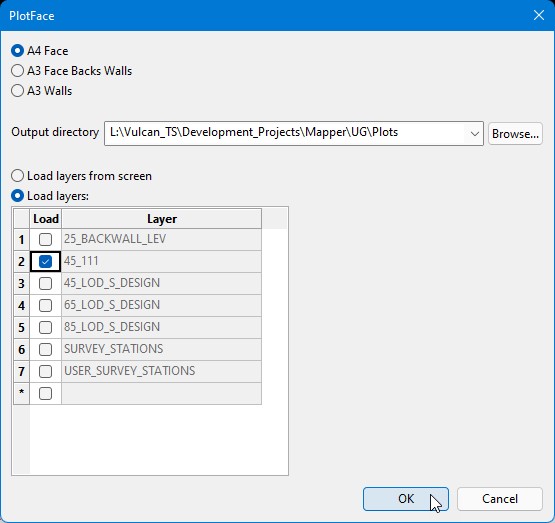
Load layers
Expands the panel to show a list of all layers in the Design Database and allow the user to select which layers to Plot.
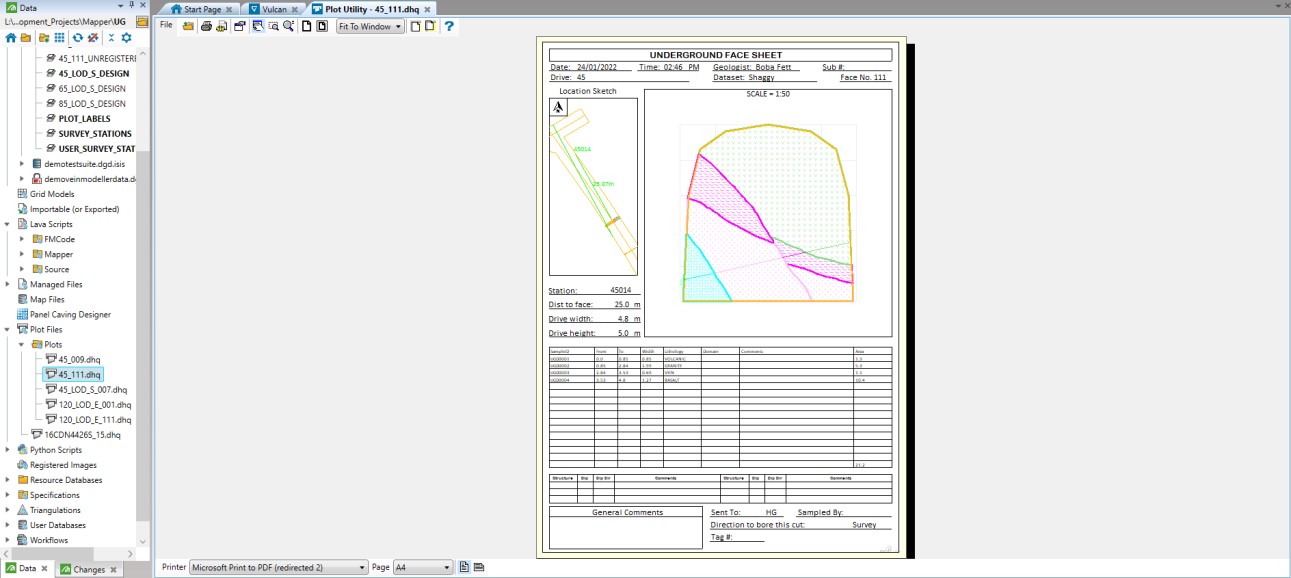
These plot files can be viewed in the Vulcan Plot Utility and printed to pdf as required. Mapping plot files can be printed to pdf in batch by using File > Batch Print in the plot utility. Note: Batch Print will create a single pdf file with each map as a separate page.