

Update Solids
Triangulations
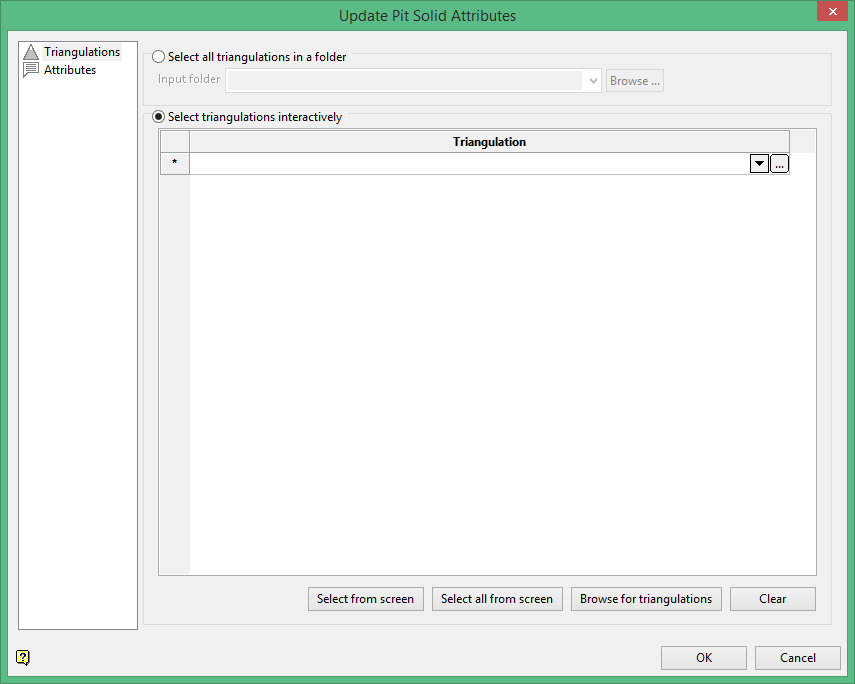
Select all triangulations in folder
Select this option if you wish to select all of the triangulations stored in the same folder.
Select triangulations interactively
Select this option to choose triangulations individually. The triangulations do not need to be stored in the same folder. You may navigate to different folders and choose triangulations from each folder.
Attributes
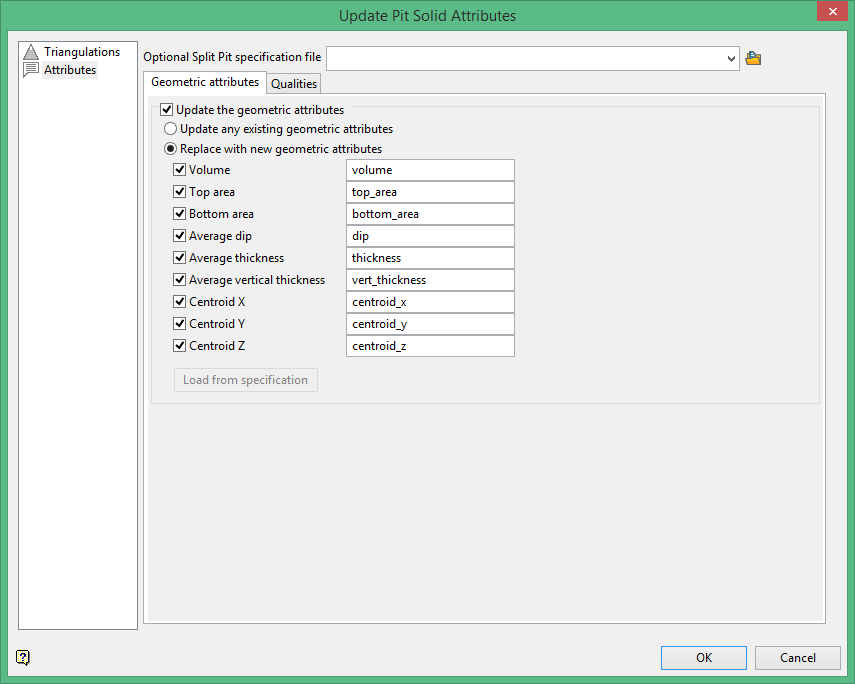
Geometric attributes
Update the geometric attributes
You have the choice of updating existing geometric attributes or replacing the attributes with new ones. If you choose to replace the attributes with new ones, select the ones you want to use and verify the default name. You do not have to use the default name. You can use whatever name you want. However, make sure there are no spaces in the name.
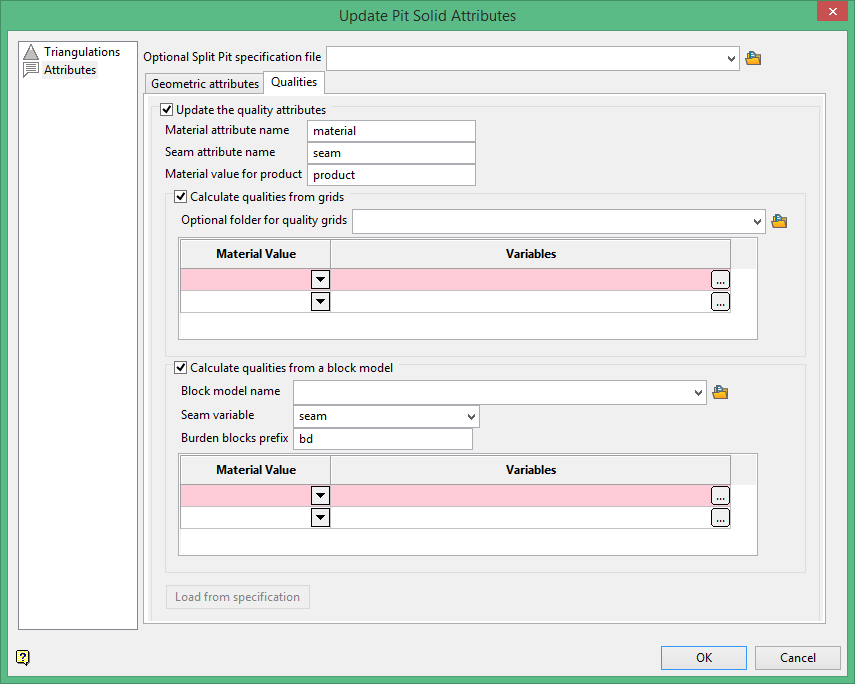
Qualities
Update the quality attributes
Select this option if you wish to update the quality of the attributes. If you wish to replace the default attribute names you may do so. For product value, you may decide to enter something more descriptive than "product" such as a certain type of ore value, LECO value, fuel value, etc.
Calculate qualities from grids
Locate the folder that contains the grid. From the Material Value column, select either overburden, midburden, or product, then select the matching variable.
Calculate qualities from a block model
Locate the block model, then identify the variable representing the seam. Choose a prefix that will identify the burden blocks in the model. Then from the Material Value column, select either overburden, midburden, or product, then select the matching variable.
