

Load Defaults
Load a Default Specification File
The Load Defaults option to load a defaults specification file.
The format of the file name in which the details are stored is:
<spec.id>_spec.rsu_cmnd
where spec.id is the specification identifier (or name). The file is stored in your current working directory. More than one specification file may exist.
To run this option from the command line, type:
LOAD_DEFAULTS /SPECIFICATION_IDENTIFIER='file name'
Example: LOAD_DEFAULTS /SPECIFICATION_IDENTIFIER='demo_spec.rsu_cmnd'
Instructions
On the Rsvute menu, point to Files, and then click Load Defaults.
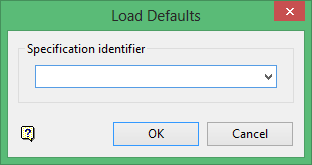
Specification Identifier
Enter the name of the required specification file, or select it from the drop-down list. The drop-down list contains all of the specification files found in the current working directory.
Click OK.
Was this page helpful?
