

Create Grade Block
Specify Method for Creating Cutting Surfaces
Instructions
On the Grade Control menu, click Create Grade Blocks to display the following options:
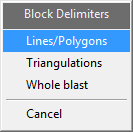
For Block Delimiters, select Lines/Polygons.
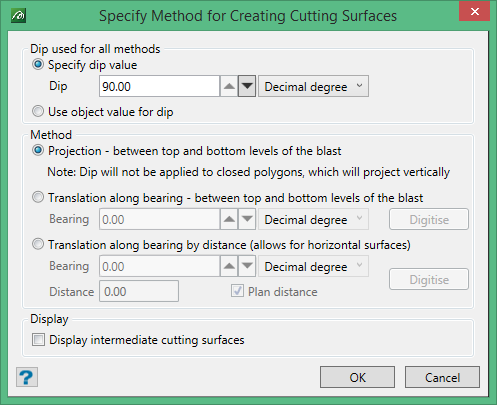
Dip used for all methods
This defines the dip for the chosen boundary objects. You can either apply a specific dip angle to the nominated boundary objects or use the dip value contained in the nominated object.
Method
Select the orientation of the cutting surface.
Was this page helpful?
