

Drafting Sheet Editor: Image
Instructions
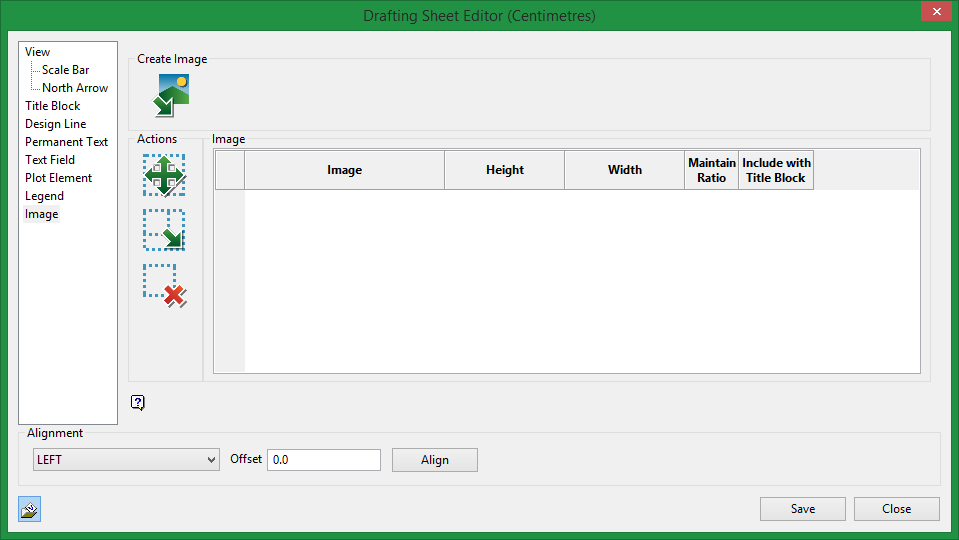
On the File menu, point to Drafting Sheets, then click Drafting Sheet Editor to display the following interface.
Create Plot Element

|
Import an image. |
Actions

|
Click on the Move icon to move an image on a sheet. |

|
Click on the Resize icon to change the size of an image on a sheet. |

|
Click on the Delete icon to delete an image on a sheet. |
Image table
Image
This will list the current image selected. The drop-down list will display all available images found in the current working folder that can be used.
Height / Width
Make adjustments to height and width.
Maintain Ratio
Select this option to lock the ratio between height and width.
Note: When this option is selected, the ability to adjust Height and Width are disabled.
Include with Title Block
Select this option if you want the permanent text to be included as part of the title block template that can be saved and imported into other drafting sheets.
Related Topics
Was this page helpful?
