

New
Use the New option to create a symbol. The symbol will be placed in a working layer called 'SYMB_EDT', which can be deleted like any other design layer.
If you want the symbol (or parts of the symbol) to be displayed in the current default colour, then, after the symbol has been created, use the Inherit Colour option.
Instructions
On the File menu, point to Symbols, and then click New to display the New Symbol panel.
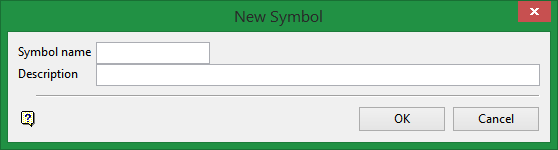
Symbol name
Enter the name of the symbol to be created. The maximum size is ten alphanumeric characters (spaces are not allowed).
Description
Was this page helpful?
