

Intersect with triangulation
Use the Intersect with triangulation command to intersect a block variable with a nominated triangulation.
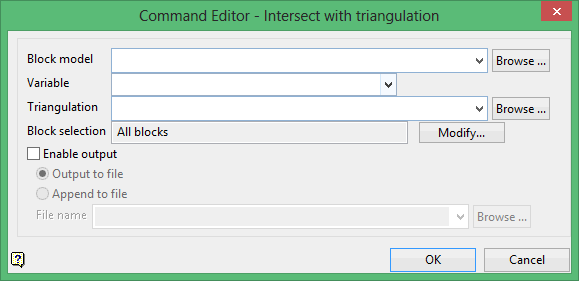
Block model
Select the block model that contains the variable that you want to use.
Variable
Select the block model variable that will be used to intersect the triangulation file. The drop-down list contains all variables found in the nominated block model file.
Triangulation
Select the triangulation file that will be used to intersect the block model variable.
To use a triangulation from an existing triangulation database, click Browse to locate the applicable triangulation database connection file (.tri). Once found, double-click on the file to display the Select Triangulation panel.
Click on the desired triangulation and then click OK
Click OK to add the command and return to the Command Editor panel.
