

Display Settings
Use this option to set display preferences for Precedence Arrows.
On the Gantt menu, point to Precedences, then click Display Settings.
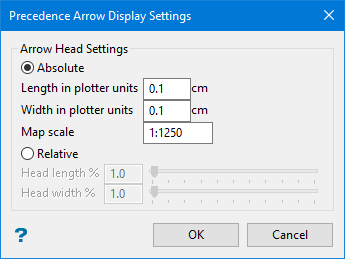
Select between Absolute and Relative size settings.
Absolute - Enter the size and scale settings.
Relative - Enter the percentage of length and width of the precedence arrows.
Click OK.
Was this page helpful?
