

Triangulation Visibility 
Change Triangulation Visibility Settings
The Triangulation Visibility option applies a specific visibility setting (visible, invisible, shadow) to a group of triangulations. The triangulations must be loaded prior to selecting the Triangulation Visibility option.
This option can also be accessed by clicking the Triangulation Visibility button on the Visibility toolbar.
Instructions
On the View menu, point to Visibility, and then click Triangulation Visibility.
Once selected, the Action dialog box displays.
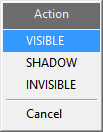
Specify whether to make the loaded triangulations visible, invisible or shadowed.
The following panel is then displayed.
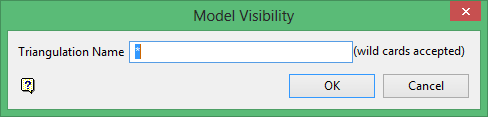
Enter the name of the triangulation (including the file extension). Wildcards (* multiple character and % single) may be used.
If you wanted to shadow all triangulations that begin with DEMO, then you would type DEMO* into the triangulation name field.
Click OK.
The chosen visibility setting is then applied to the matching triangulations.
