

Toggle Strips
Set Strip Visibility On/Off
Use the Toggle Strips option to display or remove the strip objects created with the Strips > Create option.
Immediately upon selection of the option, the strips are displayed or removed.
If a Dragline specifications file (.rsp) was not opened prior to selecting this option, then the Open Dragline Specification panel displays first.
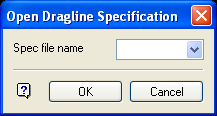
Open Dragline Specification panel
Spec file name
Enter, or select from the drop-down list, the <spec_file_id> part of the dragline specifications file name. The maximum size is 6 alphanumeric characters. Selecting a name from the drop-down list will open an existing specifications file. Entering a new name will create a new specifications file.
Click OK.
Was this page helpful?
