

Insert Section
Insert Extra Cross Section Lines
The Insert Section option to insert additional cross section lines at a nominated distance from existing ones.
Instructions
- Select Survey menu
- Select Survey Volumes submenu
- Select Insert Section option
Select a section line. This existing cross-section will serve as a reference line for the inserted line. Once selected, the chosen section is highlighted and the following panel displays.
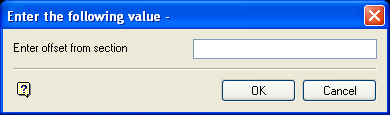
Enter offset from section
Enter the distance for the offset of the inserted cross-section line from the reference line. A negative or positive distance can be entered. A positive distance will insert a line on the side of the last section line (automatically) to be generated in the original series, while a negative number will insert a line on the side of the first section line in the series.
Select OK.
The new section line is loaded and you are prompted to select another section line.
