Picture Display
Allows the quick and easy import of a photo into Vulcan (image registration) by simply digitising two points on screen.
Instructions
On the Face Mapper menu, point to Pictures, then click Picture Display.
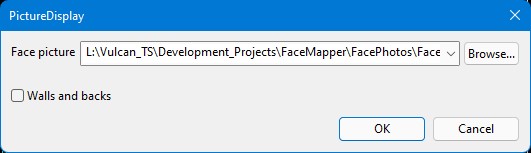
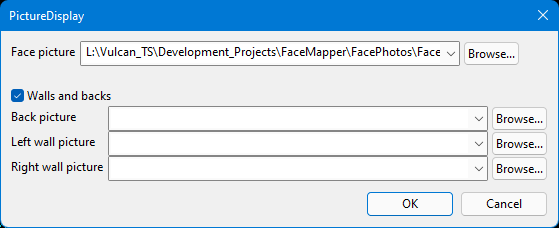
Face picture
The image (jpg, tif, gif) the user wishes to import and register.
Walls and back
A checkbox to define if the user wishes to import walls and backs photos with the face.
The resultant 00t and ireg files will be created with the FaceID, plus a suffix defining whether it is a Face, Back, LeftWall or RightWall. These will all be saved in the Output directory defined in the Global > Pictures section of the Face Mapper > Setup > Configuration panel.
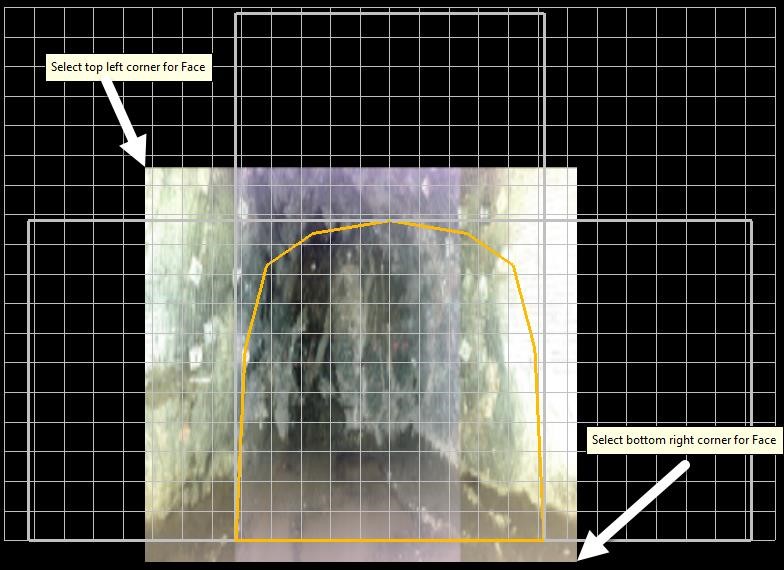
Input all relevant information into the panel and select OK. Firstly, select the top left corner point where you wish the image to display. Then select the bottom right corner point of where you wish the image to display.