

Database Drift Analyser - Select using solid triangulation
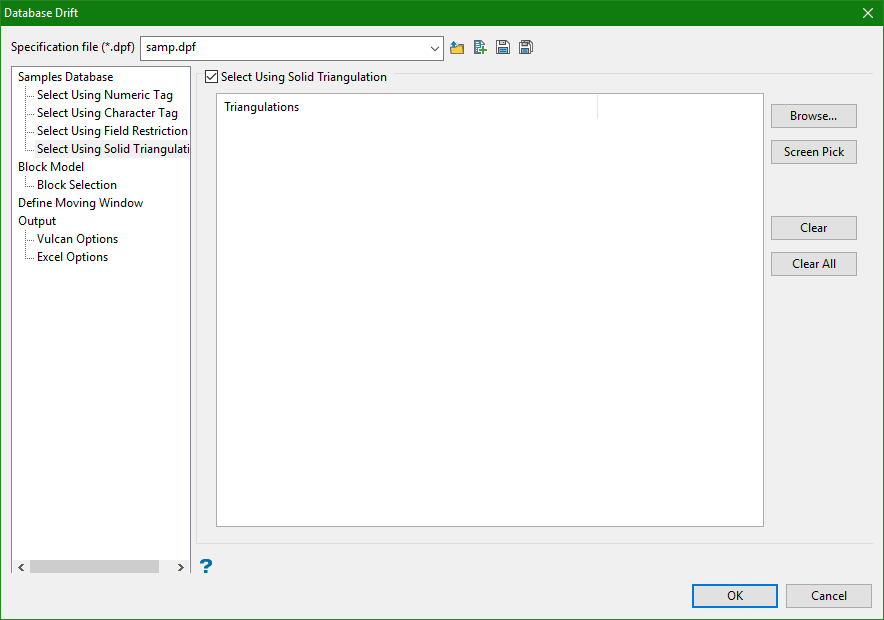
Select Using Solid Triangulations
Select this check box to limit the samples by triangulation. If this check box is selected, only the samples that fall within the nominated triangulations will be included. This check box must be selected to add the necessary triangulations.
Adding triangulations to the Triangulations list
Click Screen Pick to select a triangulation that is currently loaded on the screen.
Click Browse to display the Open panel and select the triangulations you want to load.
Select the required triangulation files and add them to the selection list on the right side of the panel:
Click on the names of the files you want to select.
-
To select a triangulation file from another location, click Browse.
-
To highlight multiple files that are adjacent to each other in the list, hold down the Shift key and click the first and last file names in that section of the list.
-
To highlight multiple non-adjacent files, hold down the Ctrl key while you click the file names.
Move the files to the selection list on the right side of the panel.
Move the items to the selection list on the right side of the panel.
- Click the
 button to move the highlighted items to the selection list on the right.
 - Click the
 button to remove the highlighted items from the selection list on the right.
 - Click the
 button to move all items to the selection list on the right.
 - Click the
 button to remove all items from the selection list on the right.
Click OK to add the triangulation to the Triangulations list.
Removing triangulations from the Triangulations list
-
To remove a triangulation from Triangulations list, click the triangulation name and click Clear Selected.
-
To remove a group of triangulations from the list, hold down the Ctrl key and click on each triangulation that you want to remove. Click Clear to remove all the selected triangulations.
-
To remove all of the triangulations, click Clear All.
Note: The selection methods accumulate, so if more than one method is chosen, the samples must satisfy each selected method before being included. Within a method, however, selection is based on the OR selection criterion except for field restrictions, which allows AND/OR selection criteria.
