

Drafting Sheet Editor: Legend
Instructions
On the File menu, point to Drafting Sheets, then click Drafting Sheet Editor to display the following interface.
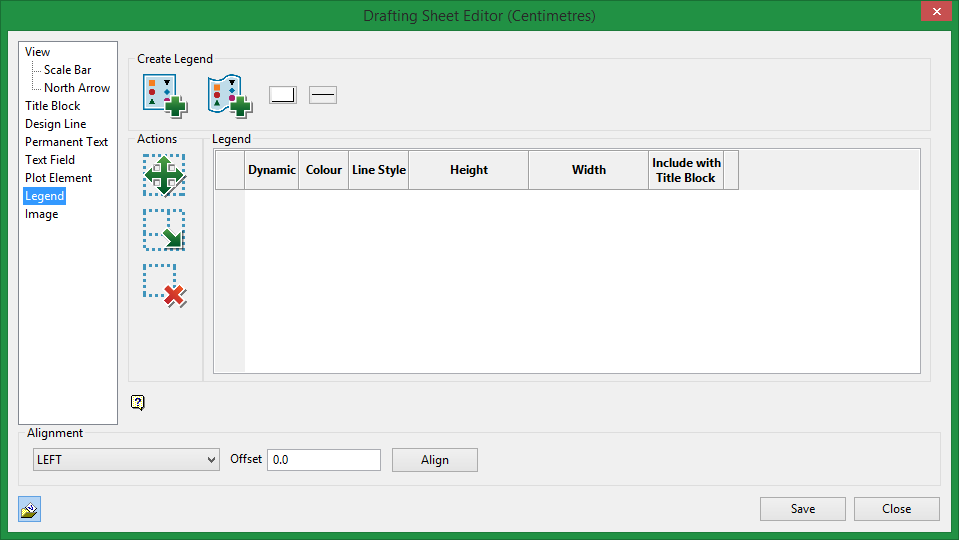
Create Legend

|
Create Static Legend. |

|
Create Dynamic Legend. |
Static Legend
When digitising the static legend you will only have control over the height, so you will only see a vertical line when you draw in the drafting sheet.
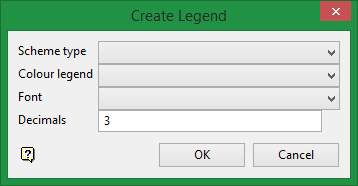
Select the Scheme type, Colour legend, Font, and number of Decimals for the legend.
Legend table
In the Legend table, you will only have control over the height of the legend and the choice to include it with the Title Block or not.
Dynamic Legend
When digitising the dynamic legend you will have control over the height and width, so you will see a rectangle instead of a vertical line when you draw in the drafting sheet.
You will also have full control to edit the entries of the Legend table.
Actions

|
Click on the Move icon to move the legend on a sheet. |

|
Click on the Resize icon to change the size of the legend on a sheet. |

|
Click on the Delete icon to delete a legend on a sheet. |
Related Topics
Was this page helpful?
