

Database Drift Analyser - Samples Database
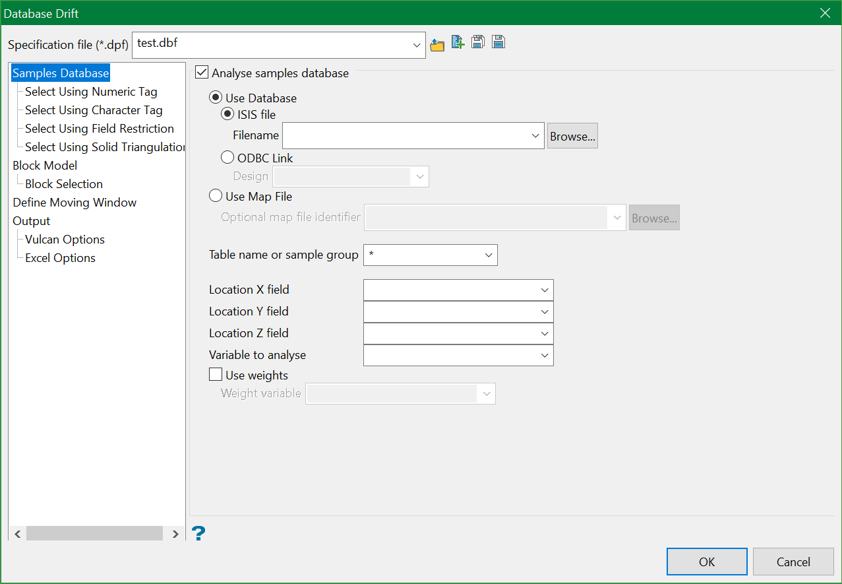
Specification file
Select the Database Drift specification file (.dpf) that you want to open. The drop-down list contains all .dpf files found in your current working directory. Click Browse to select a file from another location.
To create a new file, click the New icon, enter the file name and file extension, and hit Save icon.
Analyse Samples Database
Select this option to analyse the drift in the specified samples database.
Variables to analyse
Enter, or select from the drop-down list the variable that will be used to calculate the averages.
Use weights
Select this check box to multiply the sample weights by the value of the specified Weight variable. The Weight variable may represent a specific gravity, sample length or sample weight.
A block with two samples is to be estimated. The first sample has a grade value of 2 and a weight variable of 1. The second sample has a grade value of 5 and a weight variable of 2.5. The weights, from ordinary kriging, are 0.8 for the first sample and 0.2 for the second sample. Without variable weighting the estimated grade is:
(0.8 * 2 + 0.2 * 5) = 2.6
With variable weighting the estimate is:
(0.8 * 1 * 2 + 0.2 * 2.5 * 5) * ( 0.8 * 1 + 0.2 * 2.5 ) = 3.15385
If the variable weighting is zero (0) for a block, the default grade value is stored.
