

Groups
Use Groups to add, modify, and remove attribute groups.
Instructions
On the View tab, in the Group group, click Groups to display the Group Setup pane.
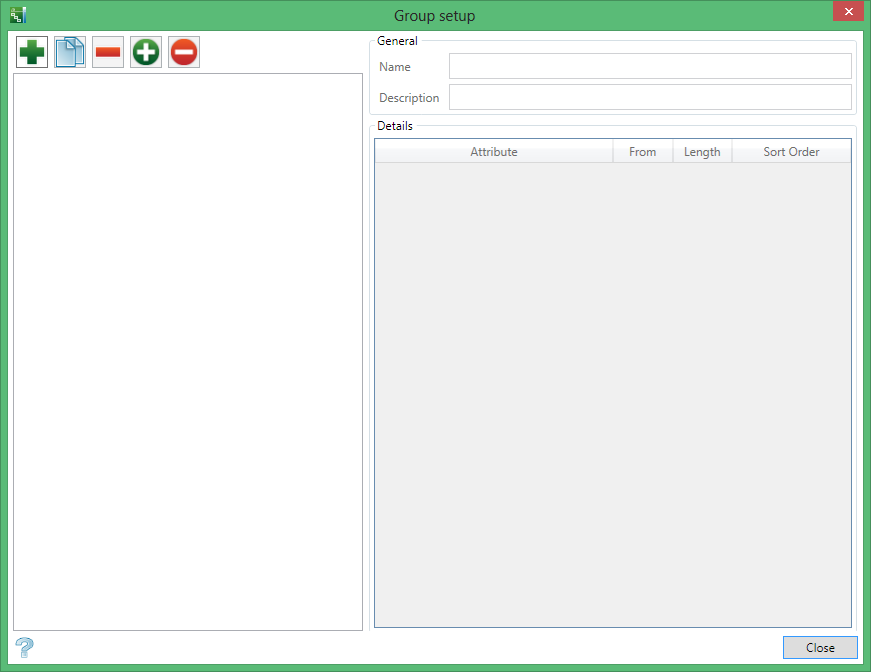

|
Add a new item. (Insert) |

|
Copy (CTRL + C) |

|
Remove (Del) |

|
Set Current |

|
Reset Current |
General
Name
Enter a name for the group.
Description
Enter a brief description of the group.
Details
Attribute
Select an attribute from the list. For more information about managing and modifying attributes, see Attributes.
From
Enter a value for the beginning of the group selection.
Length
Enter the length of the group.
Sort Order
Select whether to display the results in Ascending or Descending order.
Was this page helpful?
