

Set Up Display - Labelling
-
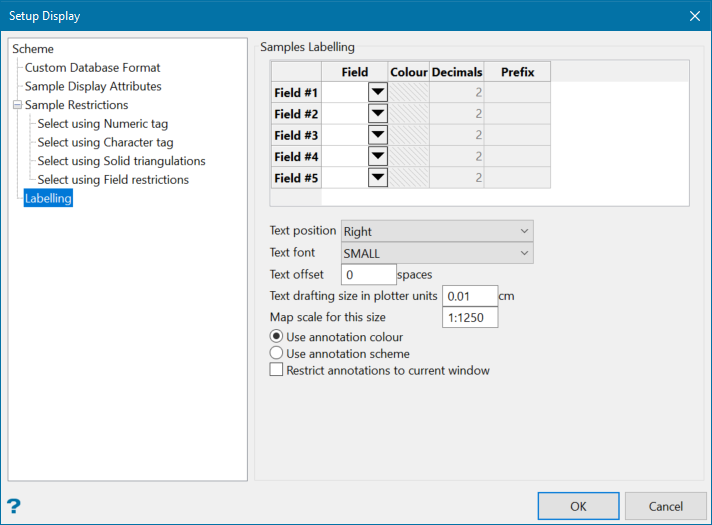
Select the database Field to use as a label. When the label is displayed, whatever value is in this field will be displayed beside the sample or interval.
-
Choose a Colour for the label.
-
Enter the number of Decimal places.
-
Enter a Prefix.
Note: A prefix is not necessary, however, if you are displaying multiple numeric labels then using a prefix can help distinguish them apart.
-
Use the parameters below the table to control the font format and how it will be displayed.
Was this page helpful?
