

Advanced
This topic includes information about the Advanced branch of the Implicit Modelling Editor.
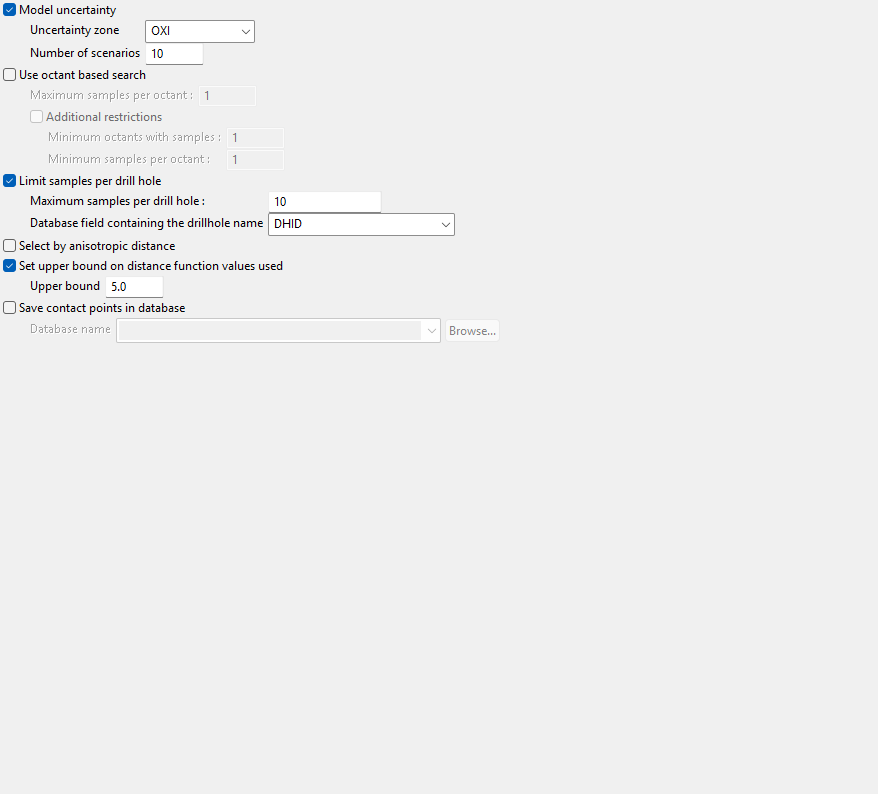
Model uncertainty
Uncertainty zone
Select triangulation representing zone of uncertainty from drop-down list.
Number of scenarios
Enter number of simulation runs.
Use octant based search
Maximum samples per octant
Enter the maximum number of samples allowed per octant.
Additional restrictions
Minimum octants with samples
Enter the minimum number of octants that must have samples in them before a cell will be used in the model calculations.
Minimum samples per octant
Enter the minimum sample count per octant before a cell will be used in the model calculations.
Limit samples per drill hole
Maximum samples per drill hole
Enter the maximum number of samples per drill hole that will be allowed.
Database field containing the drillhole name
Select the database field name from the drop-down list.
Select by anisotropic distance
If your search ellipsoid is spherical (major, semi-major and minor radii are the same) this anisotropic distance is the same as the Cartesian distance. Suppose, however, that your search ellipsoid has radii of 100, 50 and 10. This means that points in the direction of the semi-major axis have their distances expanded by a factor of 2 = (100/50) and points in the minor direction have their distances expanded by a factor of 10 = (100/10). Â The anisotropic weighting factors cause any samples that lie on the surface of the search ellipsoid to have the same anisotropic distance, namely, the major axis radius. Â In other words, samples that are 100m away in the Major direction will have the same weight and samples 10m away in the minor direction.
Set upper bound on distance function values used
Select this option to set a maximum value that can be used in the distance functions.
Click Apply and Run to save the changes and run the Implicit Modelling process.
