

Select using Numeric tag
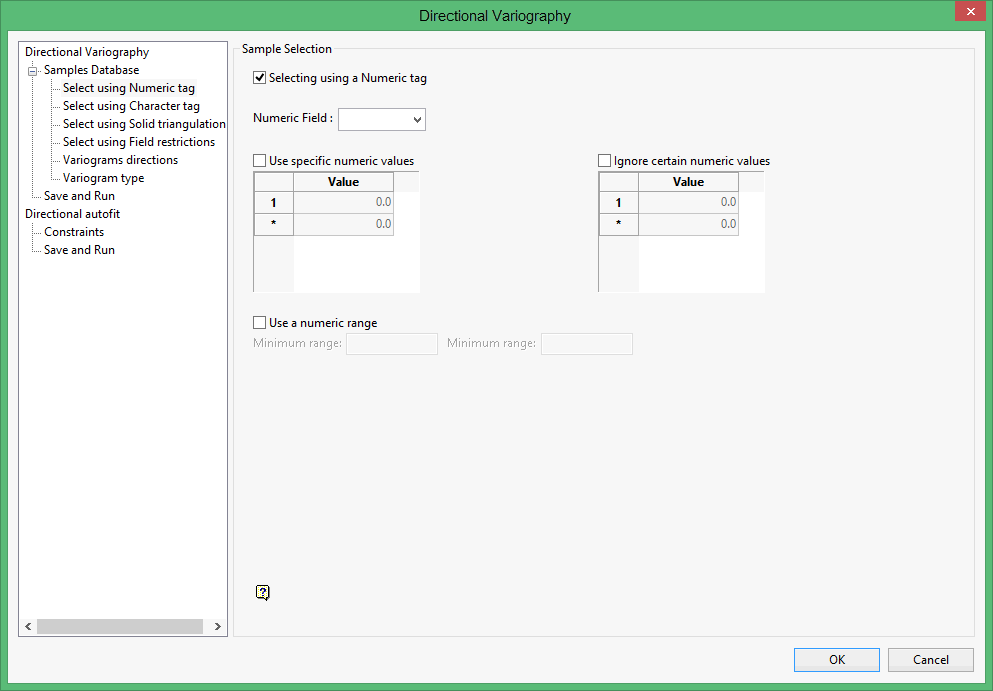
Select using a Numeric tag
Select this check box to limit the samples to a specific numeric field. Once the numeric field has been specified, it is then possible to nominate whether to include or ignore those entries that contain specific numeric values.
For example, you may have a database field named 'BOUND' and the entries in this field are '1', '2' and '3', representing, respectively, ore, waste and internal waste.
Use specific numeric values
To use only value '1', select the Use specific numeric values check box and specify '1' as the specific value. The value can be entered through the Value column.
Ignore certain numeric values
To ignore specific values, select the Ignore certain numeric values check box. The specification of the value(s) to be ignored can be entered through the Value column.
Use a numeric range
Select this check box to ignore a whole range of values, for example,. '0 to -9999' to ignore all negative values. It can also be used to ensure any rounding errors are caught. You will need to enter the minimum and maximum for the range.
Note: The selection methods accumulate, that is, if more than one method is chosen, then the samples must satisfy each selected method before being included. Within a method, however, selection is based on the OR selection criterion except for field restrictions, which allows AND/OR selection criteria.
