

Delete
Use the Delete option to delete an existing symbol from the symbols database (symbols.dgd.isis).
Instructions
On the File menu, point to Symbols, and then click Delete to display the Delete Symbol panel.
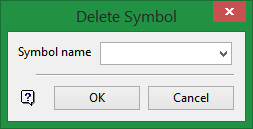
Symbol name
Enter, or select form the drop-down list, the name of the symbol that you want to delete.
Click OK.
Upon confirmation, the chosen symbol is deleted.
Was this page helpful?
