

Multiple Charts of Mixed Types
Use the Chart Explorer to select multiple charts of mixed types, for example, semi-variogram, fan variogram and orthogonal variogram.
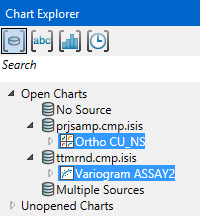
Select multiple charts by holding down Ctrl and clicking each selection with the mouse.
In the Properties pane, the names of each chart will be displayed along with the dataset used to produce the chart.
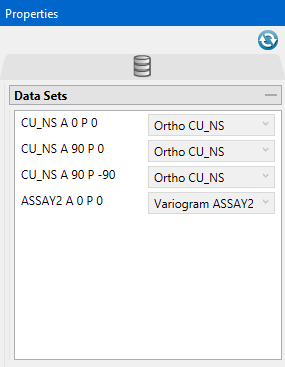
Refresh Chart
To refresh the chart, click the  icon in the upper right corner.
Was this page helpful?
