

Grade Control Database Setup
Blast Solid
Use this function to link to an existing database.
Note: : This option will not be enabled unless all of the Define Data Sources setup has been completed and is valid.
Instructions
On the Grade Control menu, point to Setup, then click Define Data Sources to display the following interface.
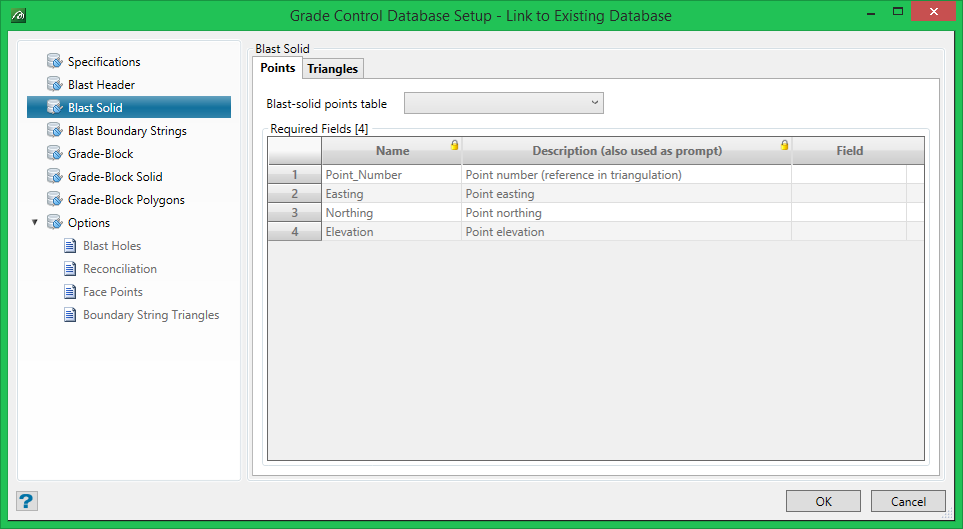
Blast-solid points table
This Table name is a combo-box with a drop-list of all of the available records (tables) in the current database from which a selection is made. All table name fields behave this way throughout this panel (with the exception of that on the Blast-Header tab – as already described).
There are 4 required fields from the points table: point number, easting, northing and elevation. These can be selected using the drop-lists on the cells in the Field column. The data-types of these fields will be checked for validity when saving the setup.
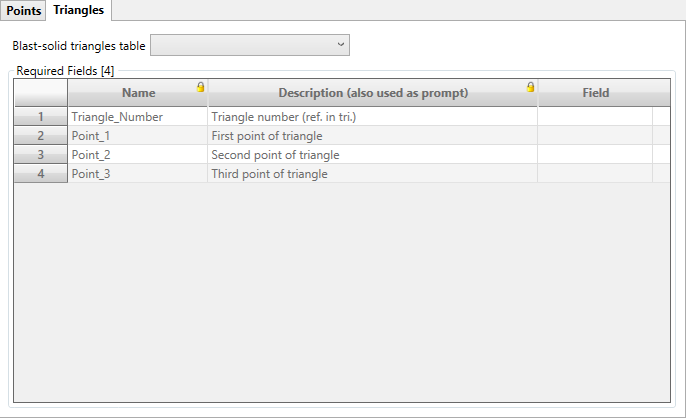
Triangles
The table name for the triangles information (point connection group for each triangle) must be selected. There are also 4 required fields from this table: triangle number, number of point 1, number of point 2 and number of point 3 that describe a triangle.
