

Delete Design
Use the Delete Design option to delete database designs. You cannot delete open designs.
Important: Any library dictionary design that is deleted will render all library databases associated with that design unreadable.
Instructions
On the File menu, click Delete Design to display the Delete Design panel.
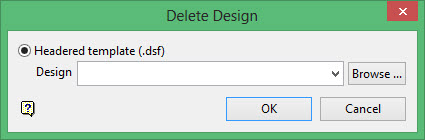
Headered template (.dsf)
Select this option to delete a headered template design. You will need to enter the design name or select it from the drop-down list. Click Browse to select a file from another location.
Click OK.
Was this page helpful?
