

Grade Estimation
Use the Grade Estimation command to perform grade estimation on a nominated block model. Through this command you will select a series of estimation files (.bef) to run multiple estimation jobs.
The Grade Estimation command is the only command in the Command Editor option that to write multiple command lines in the script file through the use of a single panel. Each estimation identifier will produce its own command line in the .csh file.
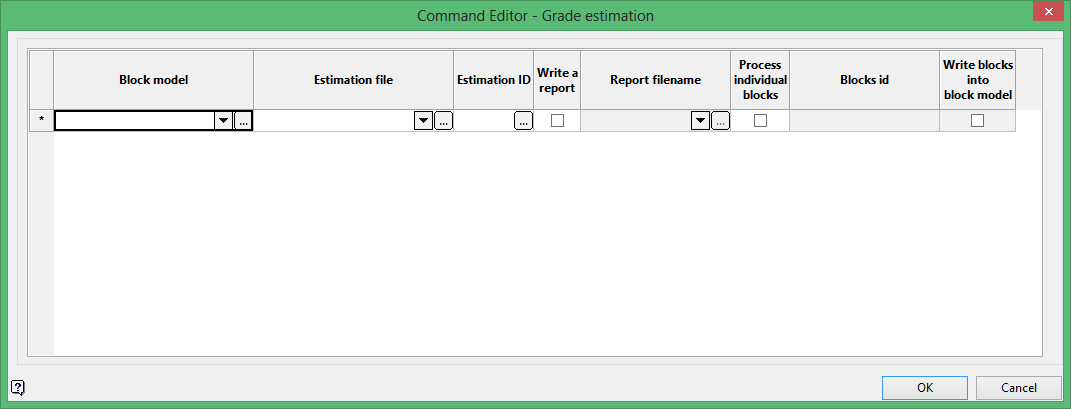
Block model
Select the block model that you want to extract the blocks from.
The drop-down list contains all block models found within the current working directory. Click Browse to select a file from another location.
Estimation file
Select the name of the block estimation file (.bef) that contains the estimation that you want to perform.
The drop-down list contains all .bef files found within your current working directory. Click Browse to select a file from another location.
Estimation ID
Click  to display the Estimation ID panel.
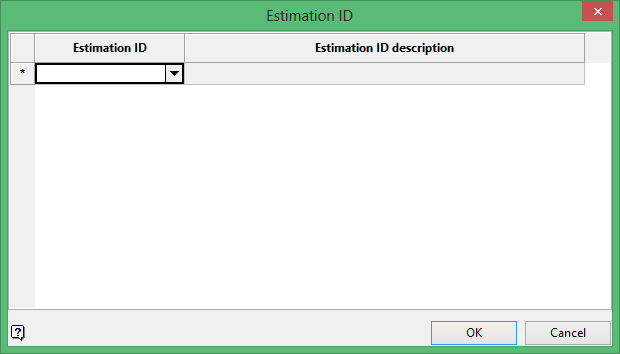
Select the estimation IDs that you want to include in the estimation process. Click the OK option when you are ready to return to the Command Editor - Grade estimation panel.
Write a report
Select this check box to create a report file. You will be required to enter the name of the report file through the Report filename column. The resulting report will be stored in your current working directory and named using following naming convention:
<report file>_report
If a report file name is not specified, that is, the Report filename cell is left blank, then the resulting report file will be named using the following naming convention:
<estimation file>_<estimation id>_report
Process individual blocks
Select this check box to run the debugger on selected blocks. The necessary blocks are chosen through the Blocks ID column. The debugging process will not write any estimated value in the block model unless the Write blocks into block model check box is selected.
Click OK to add the command and return to the Command Editor panel.
