

Zonal
Convert Zonal Structure to Standard Variogram Model Structure
Use this option to convert a model variogram that has different sills in different directions (zonal structure) to the standard variogram model structure.
Example: In a geological situation where the variography is searching across alternating stratigraphy of shale 1, sandstone 1, shale 2, sandstone 2, shale 3, sandstone 3, etc., and where the shales are high grade and the sandstones are low grade, the resulting variograms may contain changing sill values in different directions. This option adds the different sills together to allow the use of the one variogram model with up to two structures.
Instructions
On the Block menu, point to Variography, and then click Zonal.
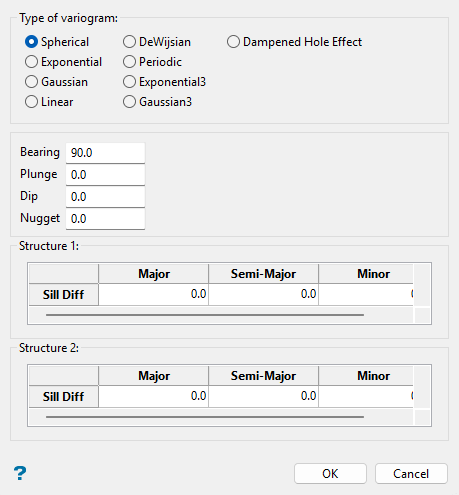
Follow these steps:
-
Select the type of variogram to be converted.
 Spherical
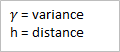
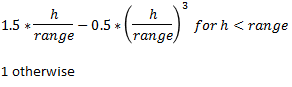
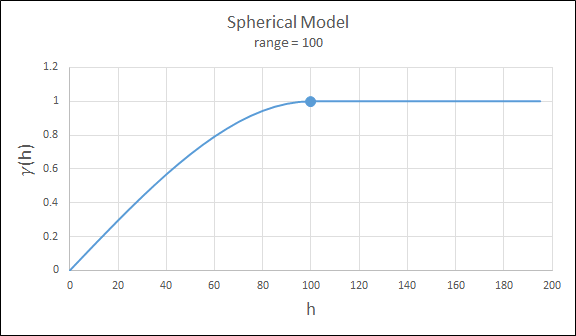
This type is the most commonly used for ore deposits. They exhibit linear behaviour at and near the origin then rise rapidly and gradually curve off.
 Exponential
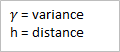
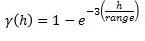
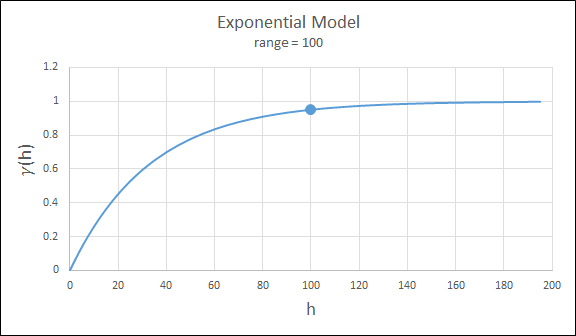
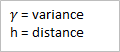
This type is associated with an infinite range of influence. The sill is reached at the specified range parameter. Here the range parameter is found at 1/3 of the effective range.
For backward compatibility, see the Exponential3 Model.
 Gaussian
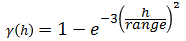
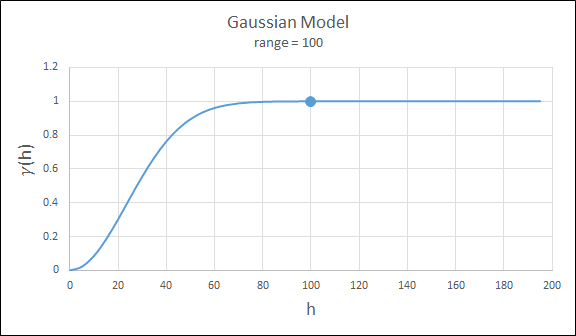
This type exhibits parabolic behaviour at the origin and, like the spherical model, rises rapidly. The Gaussian type reaches its sill smoothly, which is different from the spherical model, which reaches the sill with a definite break. The Gaussian model is rarely used in mineral deposits of any kind. It is used most often for values that exhibit high continuity.
To use this model, enter the effective range of the sill.
For backward compatibility, see the Gaussian3 Model.
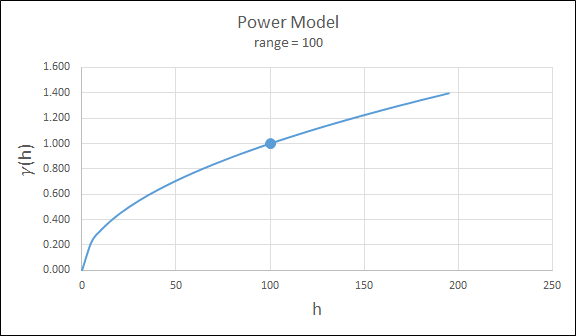
 Power
Power
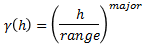
For this model the major axis serves as the range parameter. The semi-major and minor axis distances must be adjusted in a corresponding ratio to preserve the anisotropy.
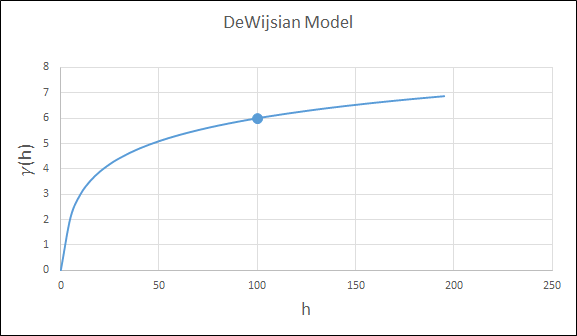
 DeWijsian
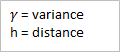
This type is a representation of a linear semi-variogram versus its logarithmic distance.

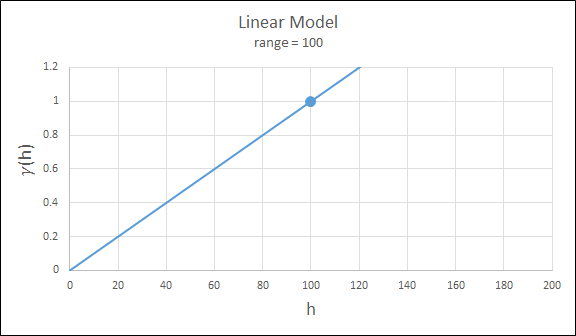
 Linear
This type is a straight line with a slope angle defining the degree of continuity.
Note: that this model does not reach a sill.

 Periodic
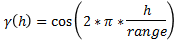
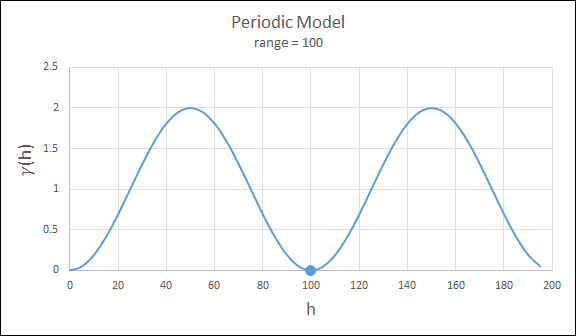
This is a sine wave with one complete period over the effective range. This model is not commonly used because it can cause samples at greater distances to have higher correlation.
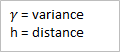
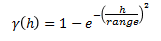
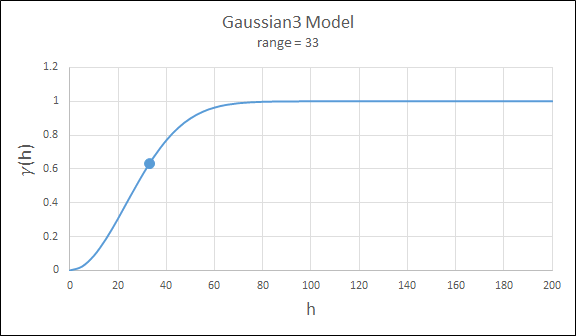
 Gaussian3
This is just like the Gaussian model, but 3 times the effective range must be entered. This is for compatibility with previous releases.
 Exponential3
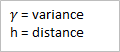
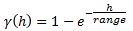
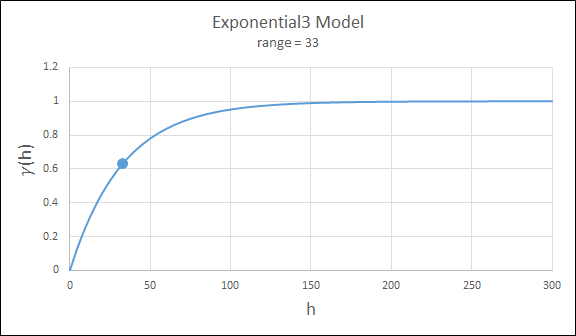
This is just like the exponential model, but three times the effective range must be entered. This is for compatibility with previous releases.
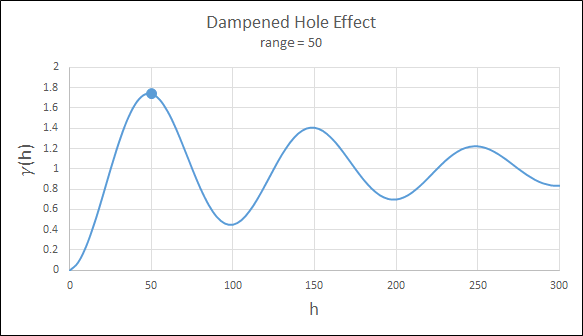
 Dampened Hole Effect
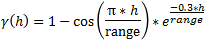
Dampening is achieved by multiplying the covariance function by an exponential covariance, that acts as a dampening function.
-
Enter the appropriate orientation angles in the bearing, plunge and dip fields. Also enter the sill differentials and ranges for either one or two structures. Be sure to enter values for each of the major (X), semi-major (Y) and minor axes (Z).
-
Click OK.
-
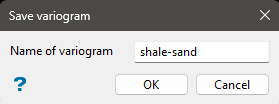
Enter the name of the variogram (a maximum of 10 alphanumeric characters) when the following panel is then displayed. The file extension .vrg is automatically added.
-
Click OK. A model is calculated containing 2 or 3 structures.
The model can be edited by using Block > Variography > Edit, and displayed by using Block > Variography > Display.
