

Using a default template
Indicate the lower left hand corner and then the upper right hand corner of the plot. Once the plot region has been indicated, the following panel displays.
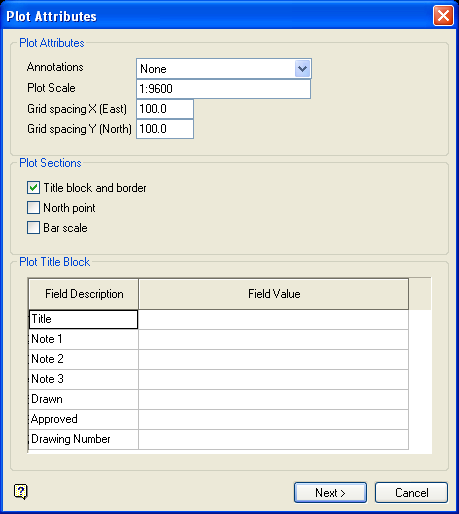
Plot Attributes panel
Select OK.
You will then need to specify whether or not to preview the plot through the Plot Utility. If you choose to preview the plot, then the plot displays in the Plot Preview Window. If you choose not to preview the plot, then the plot file name displays.
If you are in the Stereonets window, then the visibility of the various objects will be restored (if they were changed) when this option is completed.
Was this page helpful?
