

Feature Lines
Allows the quick digitising of lines using predetermined Features.
Instructions
On the Face Mapper menu, point to Mapping, then click Feature Lines.
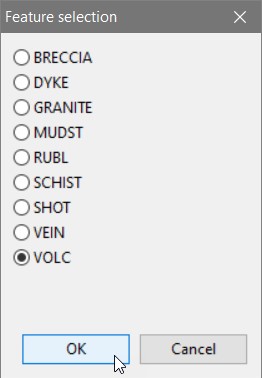
The Features that get populated from this panel are read from the Lithology tab of the Create Feature Files tool.
Instructions
Select the feature (lithology code) to digitise then digitise the line as desired. When finished, right-click to finish digitising that object. The Feature selection panel will be persistent until Cancel is selected.
Since the Lines To Polygons tool takes these digitised lines, finds all intersections between them, breaks the lines according to these intersection points and then links the resulting lines into polygons it is important to ensure the lines cross with either the face template, the walls/backs bounding boxes, another line or crosses back over itself, otherwise the line will be deleted and not create a polygon.
